
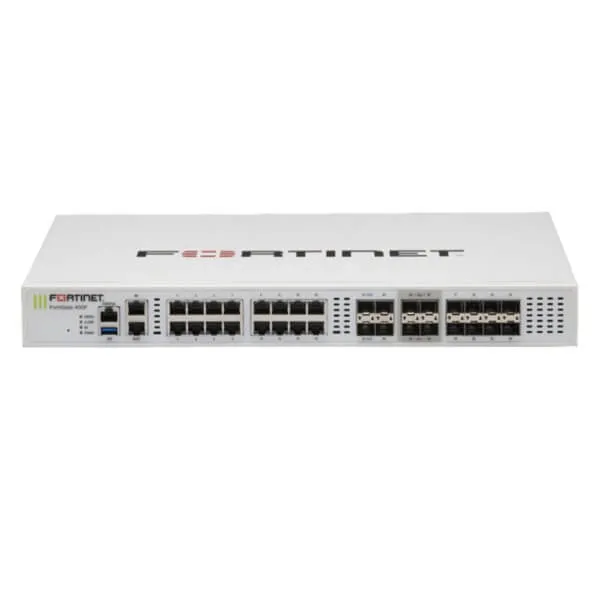
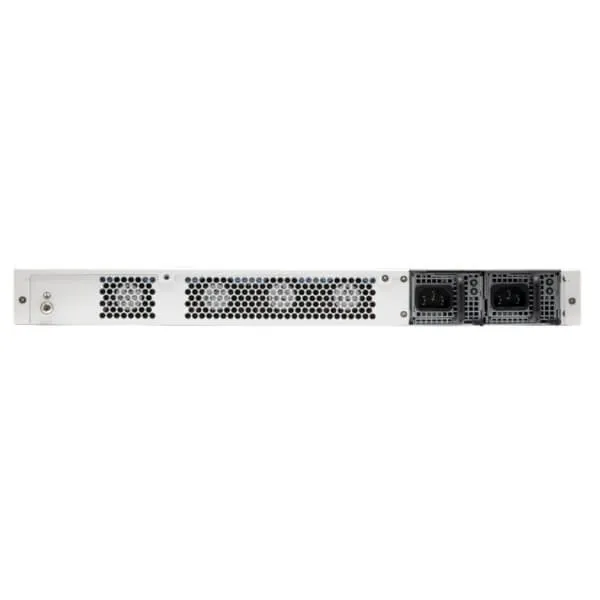
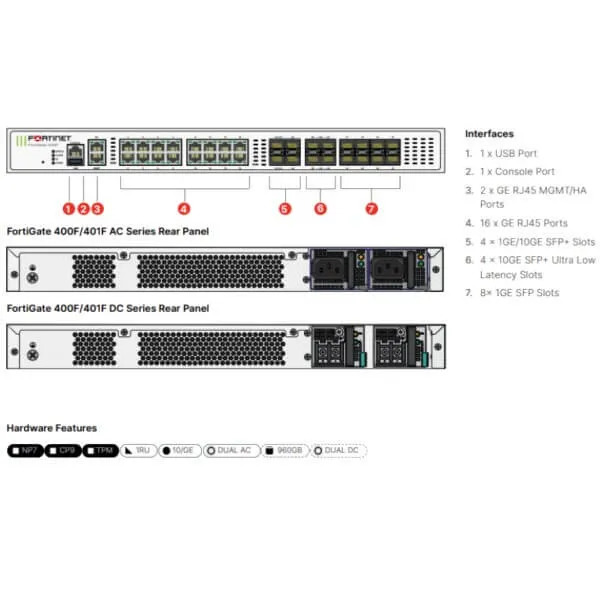
FortiMail FML-400F Email Security Appliance in Africa
The FortiMail 400F gives small and midsized organisations a dedicated platform for inspecting inbound and outbound email, applying security policy, isolating suspicious messages and improving visibility into mail flow. It is intended for businesses that need greater control than basic mailbox filtering can provide and want FourTeck support for appliance selection, FortiGuard services, deployment planning and regional procurement.
Request QuoteCheck Africa Availability
Quick Product Information
Fortinet
FortiMail 400F / FML-400F
Dedicated email security appliance
Small to midsized organisations
1U rack mount
2 x 1 TB drives
Inbound and outbound mail protection
Contact FourTeck for current options
Product Overview
Email is both a business tool and a high-value attack path. Staff receive invoices, account instructions, contracts, password-reset notices, recruitment documents and shared-file links every day. An attacker does not always need an obvious virus to cause harm. A carefully written message that imitates a supplier, director or trusted service can persuade a user to disclose credentials, approve a fraudulent payment or open a harmful website. The resulting impact may include financial loss, data exposure, business interruption and time-consuming incident response.
The FortiMail FML-400F Email Security Appliance places a dedicated inspection and policy layer around this communication channel. It can be positioned in gateway, transparent or server-oriented designs according to the environment, while optional API integration can extend protection to supported Microsoft 365 and Google Workspace use cases. The platform evaluates multiple signals including sender and domain reputation, connection behaviour, authentication records, message structure, embedded links, attachments and content patterns. It can also apply outbound policies that help an organisation control how sensitive information leaves through email.
The hardware is designed for small to midsized organisations. Published specifications include four 10/100/1000 copper interfaces, 8 GB memory, two 1 TB drives, software RAID 0 or RAID 1, a standard limit of up to 70 protected email domains and tested email routing of up to 250,000 messages per hour under the vendor’s stated conditions. These values provide a starting point for comparison, but real sizing should include peak traffic, message size, attachment usage, inspection intensity, quarantine retention, cloud API scanning and expected growth.
This class of appliance suits organisations that want local administrative control over mail security, quarantine, policy, logs and reporting. It can serve corporate offices, financial institutions, healthcare networks, universities, public-sector departments, professional firms, manufacturers, logistics companies and regional business groups. The value is not limited to blocking junk mail. A correctly planned deployment can improve message tracking, enforce authentication, support data-handling policy, reduce exposure to impersonation and give the security team clearer evidence during an investigation.
FourTeck helps connect the technical requirement to the commercial order. A quotation should identify the exact hardware, FortiCare support term, FortiGuard service bundle, optional capabilities, delivery destination and implementation scope. This prevents a buyer from approving a part number that appears correct but lacks the services, resilience or integration needed for the real mail environment.
Key Business Benefits
A modern email gateway should create measurable operational value, not simply add another device to the rack. The following benefits explain how the platform can support security, administration and business continuity when it is matched to the right service package and deployment design.
🔒 Protection Against Deceptive Email
Business email compromise often relies on trust, urgency and a familiar identity rather than a known malware file. Sender analysis, anti-spoofing, authentication checks, cousin-domain detection and content inspection help the organisation identify suspicious messages before finance, management or customer-service staff act on them.
✓ Layered Spam and Malware Defence
The platform can combine reputation, protocol inspection, antivirus, outbreak intelligence, URL checks, attachment analysis and behavioural techniques. Using several controls together reduces dependence on one signature source and lets administrators apply different actions to different risk levels.
◆ Better Mail-Flow Visibility
Dashboards, logs, reports, quarantine records and message tracking help administrators determine whether mail was accepted, rejected, delayed, isolated or delivered. Faster answers reduce time spent guessing whether the problem sits with a sender, DNS record, policy, network path, mail server or recipient.
⚙ Policy Control for Sensitive Data
Data loss prevention, file fingerprinting and encryption options can support company rules for financial data, personal records, internal documents and regulated information. The business can define whether content is blocked, quarantined, reported, archived or protected before delivery.
● Deployment Flexibility
Gateway, transparent and server-oriented capabilities allow the appliance to fit different mail architectures. Optional cloud email API integration can support organisations that use Microsoft 365 or Google Workspace and need additional scanning, including selected post-delivery and internal-message workflows.
↗ Growth for Mid-Market Environments
The standard protected-domain capacity and published message rates give growing organisations a practical platform between entry appliances and large enterprise systems. Correct sizing remains important, but the model can consolidate policy across several departments, brands or business units.
These benefits depend on more than the hardware alone. FortiGuard services, support entitlement, software version, policy quality, administrator skills and integration choices influence the result. FourTeck therefore recommends treating the appliance, licence bundle and deployment plan as one solution rather than three unrelated purchases.
Product Highlights
The FML-400F combines mail inspection, local storage, quarantine, administration and reporting in a compact rack platform. Its hardware layout supports common gateway connectivity requirements, while the two-drive design gives administrators a choice between capacity-oriented RAID 0 and redundancy-oriented RAID 1. A Trusted Platform Module is included, and a second power supply can be selected as an option where the infrastructure design calls for improved power resilience.
Combines sender, protocol, authentication, content, URL and attachment checks so policy decisions are not based on one indicator.
Helps detect lookalike identities, suspicious domains and messages that misuse trusted names or addresses.
Supports structured review of suspicious mail and gives administrators better evidence when users report delivery problems.
Data loss prevention, encryption and policy actions can reduce accidental or unauthorised transmission of sensitive information.
Supported events and indicators can be shared with Fortinet products, external logging systems and management workflows.
The appliance can support traditional gateway designs, transparent operation and selected cloud email integration scenarios.
Buyers should separate hardware capacity from security entitlement. The appliance order code identifies the physical platform, while FortiCare and FortiGuard choices determine support and enabled services. Capabilities such as Enterprise ATP, content disarm, sandbox integration, cloud email API access, email continuity or advanced administration may require a particular bundle or separate licence. FourTeck can help translate the desired protection level into a complete order description.
Technical Specifications
| Specification Area | FortiMail 400F Details |
|---|---|
| Brand and model | Fortinet FortiMail 400F, order code FML-400F |
| Product type | Dedicated email security appliance |
| Recommended deployment | Small to midsized organisations |
| Network interfaces | 4 x 10/100/1000 copper RJ45 interfaces |
| Storage | 2 x 1 TB drives; 2 TB raw capacity |
| Storage management | Software RAID 0 or RAID 1 |
| Memory | 8 GB |
| Form factor | 1U rack mount |
| Security hardware | Trusted Platform Module |
| Power supply | Single AC power supply; dual power optional |
| Protected email domains | Up to 70 under the standard published limit; advanced management licensing can increase the limit |
| Recipient-based policies | Up to 400 per domain and 1,500 per system for incoming or outgoing policy |
| Server-mode local mailboxes | Up to 400 |
| Email routing performance | Up to 250,000 messages per hour under stated test conditions |
| Antispam plus virus outbreak | Up to 200,000 messages per hour under stated test conditions |
| Enterprise ATP performance | Up to 150,000 messages per hour under stated test conditions |
| Cloud API routing performance | Up to 83,000 messages per hour under stated test conditions |
| Dimensions | 44 x 438 x 416 mm |
| Weight | Approximately 11 kg |
| Power input | 100–240V AC, 50–60 Hz |
| Maximum power required | 113 W |
| Average power consumption | 77 W |
| Operating temperature | 0°C to 40°C |
| Configuration note | Feature availability and performance depend on software version, service bundle, message profile and deployment design |
How to Read the Specification Table
Published message rates are laboratory reference values based on stated conditions, including a 100 KB message size and no queuing. A production environment may process larger attachments, encrypted content, intensive antispam rules, sandbox submissions, cloud API traffic and longer quarantine retention. Buyers should therefore use peak traffic and the intended inspection profile when deciding whether the model has enough headroom.
Storage mode also changes the practical design. RAID 0 prioritises available capacity but does not offer the same drive-failure protection as RAID 1. RAID 1 mirrors the drives and reduces usable capacity in exchange for redundancy. Organisations with strict continuity requirements should also review a second appliance, optional dual power, resilient mail routing, configuration backup and recovery procedures.
Configuration and Buyer Guidance
The best purchase starts with a clear picture of the mail environment. Identify whether the organisation uses Microsoft 365, Google Workspace, Exchange, another on-premises platform or a hybrid arrangement. Connectors, DNS changes, certificates, relay rules, firewall policies and administrator permissions differ between designs. Mail routing should be reviewed with the responsible technical team so legitimate messages are not looped, rejected or allowed to bypass inspection.
1. Measure the Busy Hour
Use peak inbound and outbound flow, not only a monthly average. Include newsletters, automated alerts, internal scanning and seasonal campaigns.
2. Confirm Every Domain
List primary, secondary and brand domains. Indicate which need independent policy and which can share configuration through domain association.
3. Choose the Protection Level
Decide whether the need is core filtering, Enterprise ATP, content disarm, sandbox analysis, cloud API scanning, encryption or continuity.
4. Plan Retention and RAID
Estimate quarantine, archive and reporting needs. Select RAID 1 when drive resilience is more important than maximum usable capacity.
5. Review High Availability
Consider duplicate appliances, redundant mail paths, independent power feeds and documented failover tests when email interruption has high cost.
6. Define Support Ownership
Confirm service term, escalation process, implementation scope, renewal owner, policy administration and ongoing change responsibility.
Procurement teams should provide quantity, destination, required subscription term and project timing. Technical teams should add platform type, domain count, peak messages, retention requirement, integration plan and resilience expectations. Bringing both views into one brief reduces quotation delays and helps FourTeck identify the correct order code, support package and related services.
Ideal Business Use Cases
A dedicated email security gateway is most valuable where email carries operational, financial or regulated information and where the organisation wants clear control over policy and investigation. The examples below show practical environments in which the platform can fit, subject to proper sizing and licensing.
Financial and Professional Services
Banks, insurers, accounting firms, legal practices and consultancies exchange payment data, contracts and confidential client documents. Impersonation checks, encryption, outbound controls, quarantine and message tracking can strengthen protection around these high-value communications.
Healthcare and Education
Hospitals, clinics, universities and training organisations manage personal records, research material and large user communities. Central policy, domain separation and content checks can help administrators apply more consistent handling across departments.
Government and Public Services
Departments may prefer on-premises control, role-based administration, detailed logging and protection for several domains. A physical gateway can fit environments where policy ownership, infrastructure control and audit visibility are important.
Manufacturing and Logistics
Purchase orders, supplier invoices, shipping notices and warehouse instructions are attractive targets for fraud. Email inspection can help expose spoofed senders, dangerous attachments and suspicious links while preserving evidence for investigation.
Multi-Branch Corporate Groups
A central appliance can protect several brands, domains or business units under coordinated administration. This suits organisations that want consistent security policy and reporting while maintaining separation between departments or subsidiaries.
Cloud Mail with Added Control
Organisations using supported cloud platforms may deploy FortiMail as a gateway or add optional API-level inspection. This can provide additional visibility into external, internal and post-delivery messages when the correct entitlement and permissions are included.
The appliance is not automatically the right choice for every organisation. A very small business may prefer a managed cloud service, while a large enterprise may need a higher-capacity appliance or clustered design. The 400F is most appropriate where the organisation wants a dedicated mid-market platform, has staff or service support to administer it and values local control over policy, quarantine and logs. FourTeck can help compare hardware, virtual and cloud delivery models before a final decision.
FortiMail FML-400F Multi-Layered Threat Detection
Malicious email frequently avoids obvious warning signs. A campaign may use a newly registered domain, a display name copied from a director, a shortened URL, a password-protected archive or a document that contains no malware but sends the user to a false login page. A strong defence therefore combines many signals rather than asking one engine to make every decision.
FortiMail can evaluate IP and domain reputation, SMTP behaviour, sender patterns, message headers, embedded links, attachment types, content context and outbreak information. Support for SPF, DKIM and DMARC helps determine whether a sender is authorised and whether the message has been altered. These standards are powerful, but they require accurate DNS records and a complete inventory of third-party senders. A strict authentication policy introduced without preparation can reject legitimate newsletters, payroll notifications or customer-service platforms.
Advanced options add deeper analysis. Content disarm and reconstruction can remove active elements from supported documents. Sandbox integration can submit suspicious files for behavioural inspection. URL click protection can rewrite links and check them when a user attempts access, which is useful when a destination changes after initial delivery. Cloud API integration can support internal-message scanning and post-delivery action for supported services.
Each additional control affects policy complexity, licensing and capacity. The best design selects services according to business risk and message profile instead of enabling every feature without testing. FourTeck can help buyers identify which functions belong in the initial scope, which require a specific FortiGuard package and which may be phased into a later security improvement plan.
FortiMail FML-400F Data Protection and Email Control
Inbound attacks receive most attention, yet outbound email can create equally serious business risk. A staff member may send a spreadsheet to the wrong recipient, attach an internal report to a customer reply, transfer regulated data without encryption or deliberately move confidential information outside the organisation. Technical controls cannot replace business policy, but they can help enforce decisions consistently.
Data loss prevention functions can inspect message content and attachments for defined patterns, sensitive information categories and file fingerprints. Rules may consider the sender, recipient, domain, department, attachment type or content. An organisation can choose to block, quarantine, notify, archive or encrypt a message according to the risk. Encryption options can support server-to-server TLS, S/MIME and recipient-focused methods where configured and licensed.
Successful deployment requires clear ownership. Finance, legal, human resources, compliance and IT should agree which information needs protection, which exceptions are acceptable and who reviews quarantined outbound messages. A policy that is too broad may delay normal work and encourage users to seek unapproved alternatives. A policy that is too weak may provide little protection. Pilot testing, staged enforcement and a documented false-positive process help the organisation find a practical balance.
For buyers, this means the purchase conversation should include more than antispam. Ask whether the business needs outbound DLP, encryption, archiving, department-specific rules or integration with external storage. These decisions influence the service bundle, implementation effort, training requirement and long-term administration cost.
FortiMail FML-400F Management, Reporting and Resilience
Email incidents often begin with a simple question from a user: did anyone else receive this message? Administrators need fast access to message tracking, policy events, quarantine records and delivery logs. FortiMail provides central administration and reporting capabilities that can help teams trace a message, investigate a campaign and explain why mail was accepted, rejected, delayed or isolated. Role-based administration can separate responsibilities when different teams manage domains or functions.
The appliance can forward information to external systems and can integrate with FortiAnalyzer for wider reporting and investigation workflows. SNMP, syslog and REST API support can connect the platform with monitoring and management processes. Security Fabric integration can share supported indicators and events with other Fortinet products, allowing email findings to contribute to broader network, endpoint or sandbox response.
Resilience must be designed across the complete mail path. RAID 1 can reduce exposure to a single drive failure, and an optional second power supply can reduce dependence on one internal power unit. High availability may involve a second appliance, configuration synchronisation, quarantine and queue planning, multiple MX records, network path diversity and tested failover procedures. Configuration backup, monitoring, spare capacity and documented recovery steps are equally important.
A feature on a specification sheet does not create continuity by itself. Buyers should decide how much downtime the organisation can accept, who will respond to a device failure and how mail will queue during an outage. FourTeck can use those answers to determine whether the quote should include one appliance, two appliances, optional power, implementation services or a different delivery model.
What Buyers Should Check Before Purchase
A model number is only one part of an email security purchase. The same hardware can be quoted with different service bundles, support terms and optional features. Before requesting a final price, buyers should confirm the environment, commercial scope and deployment responsibility so the selected solution matches the requirement rather than simply matching a product name.
Configuration Fit
Confirm peak traffic, average message size, domain count, users, retention period and inspection services. Leave headroom for growth and campaigns.
Platform Compatibility
Document Microsoft 365, Google Workspace, Exchange or other servers, plus connectors, certificates, DNS ownership and relay rules.
Bundle and Renewal
Check whether the quote includes hardware only, FortiCare, Base or Enterprise ATP services. Record start date, term and renewal owner.
Rack and Power
Allow suitable 1U rack space, depth, airflow, cabling and power. Decide whether the optional second supply or a redundant appliance is required.
Deployment Responsibility
Agree who changes DNS, configures connectors, migrates lists, creates policy, tests mail flow, trains users and provides support after go-live.
Quote Preparation
Provide quantity, destination, required term, mail platform, domains, peak messages, cloud integration, retention and high-availability requirement.
Long-term cost should include subscriptions, support, administrator time, training, storage growth, implementation, resilience and related products such as sandboxing or central analysis. Project buyers should also identify whether they need a bill of materials for several locations, phased delivery, replacement guidance for an older model or a comparison between appliance, virtual and cloud options. FourTeck can review these details before quotation so procurement and technical teams receive a more complete proposal.
Africa Availability and Service Support
FourTeck supports FortiMail enquiries across Africa with assistance for product selection, bundle review, quotation preparation, delivery coordination and warranty guidance. Availability can vary by appliance model, selected service term, supplier status, order quantity and destination. Because email security hardware is often purchased together with time-based services, buyers should verify the complete order code rather than approve a quotation from a short description.
Configuration support can cover discussion of mail platform, message volume, protected domains, storage mode, FortiGuard services, high availability, cloud integration and deployment responsibility. Delivery coordination begins after the exact model, bundle, quantity and destination are confirmed. Warranty handling depends on the selected FortiCare entitlement, supply route and terms stated in the final commercial document.
For faster assistance, share the delivery country, receiving organisation, quantity, desired support term and target installation date. Technical contacts should include the mail platform, number of domains, estimated peak flow, current security gateway, required inspection services and whether a second appliance is expected. This allows FourTeck to prepare a clearer response and identify any missing accessories or services before the order is approved.
Africa Country and Regional Coverage
Businesses across Africa, including Kenya, Uganda, Nigeria, Ghana, Tanzania, Rwanda, Ethiopia, South Africa, Zambia, Botswana, Senegal and nearby regional markets can contact FourTeck for appliance availability, configuration guidance and quotation support. The team can help procurement and technical departments review the requested platform, service bundle, delivery destination, project quantity and expected implementation schedule.
This combined regional approach is useful for groups that operate several offices or use multiple email domains across different markets. A single requirements document can list each location, quantity, mail platform, domain ownership, administrator contact and preferred installation date. FourTeck can then help the buyer consider whether a central appliance, separate local appliances, virtual deployment or cloud service is more suitable.
Cross-border orders may involve different lead times, commercial documents, tax handling and warranty processes. Sharing the destination and receiving details early helps reduce avoidable delays. Regional buyers can begin through the FourTeck Africa platform or use the contact page for a requirement review.
GCC, Middle East and Africa Availability
FourTeck Africa can support organisations operating across Africa while connected regional platforms help guide requirements in GCC and Middle East markets. Businesses with offices in the UAE, Saudi Arabia, Qatar, Oman or Bahrain may want consistent appliance models, subscription terms and security policy across several locations. Availability, delivery options, support handling and configuration assistance vary according to country, supplier route, bundle and quantity.
For a multi-region project, prepare one schedule showing each destination, expected installation date, protected domains, mail platform, message volume and local administrator contact. This information helps determine whether every location needs physical hardware, whether a central design is practical or whether virtual and cloud options should be included. Regional procurement can then be coordinated as one programme rather than a collection of unrelated purchases.
Other Options Buyers May Consider
Email security often works best as part of a coordinated architecture. Some buyers may need a smaller or larger FortiMail platform, deeper file analysis, perimeter firewall protection, central reporting or a cloud delivery model. The following FourTeck resources can help continue the selection process without assuming that every environment requires the same appliance.
Fortinet Cybersecurity Solutions
Explore the broader Fortinet portfolio when email protection must connect with network, endpoint, identity or management controls.
FortiSandbox Support
Consider sandbox analysis when the security team needs deeper behavioural inspection of suspicious files and previously unknown threats.
Fortinet Firewall Solutions
A FortiGate may be required to protect the internet edge, publish mail servers securely and coordinate threat events.
FortiGate FG-41F
A compact branch firewall example for buyers planning secure internet access, VPN and small-office protection alongside email security.
FortiAP FAP-831F
A related Fortinet access point for organisations refreshing secure office or campus wireless infrastructure.
Fortinet Product Category
Browse additional Fortinet pages where the project requires compatible security, networking or management products.
Related products should be selected according to architecture, not simply brand. A sandbox service adds value where unknown attachments require deeper analysis. A firewall protects network paths and published services. Central reporting supports investigation and compliance. A different FortiMail size may be more suitable when message volume, domain count or resilience exceeds the 400F profile. FourTeck can help compare these paths before the final bill of materials is approved.
Why Buyers Choose FourTeck
An email security purchase involves more than obtaining a rack appliance. The buyer must align message capacity, security entitlement, support, delivery and implementation. FourTeck helps bring these topics into one procurement conversation so the quotation reflects the operating environment rather than a part number alone.
Assistance with current appliance and bundle options based on the requested model, term, quantity and destination.
Discussion of message volume, protected domains, deployment mode, storage, cloud integration and high availability.
Clearer commercial preparation when buyers share quantity, licence term, delivery location and project timing.
Support for Africa-focused delivery discussions and multi-location business requirements.
Guidance based on the selected FortiCare entitlement, supply route and terms in the approved quotation.
Help identifying sandboxing, firewall, reporting or alternative delivery models where appropriate.
FourTeck works with SMB, enterprise, public-sector and project buyers that need practical communication between technical and procurement teams. The approach is based on reviewing requirements, clarifying what is included and helping the customer prepare for deployment. Final availability, warranty, service entitlement and delivery commitments are confirmed through the approved quotation and order documentation.
Frequently Asked Questions
What is the FortiMail 400F used for?
It is a dedicated email security appliance used to inspect inbound and outbound messages for spam, phishing, malware, impersonation, malicious links and sensitive information. It supports central policy, quarantine, reporting and message tracking in several deployment models. The exact protection capabilities depend on the purchased FortiGuard services, software version and configuration.
Is the appliance suitable for Microsoft 365?
It can be deployed as a gateway around Microsoft 365 mail flow, and optional API integration is available for supported scenarios. Buyers should confirm connectors, DNS changes, internal-message scanning, post-delivery requirements, administrator permissions and the necessary service entitlement before purchase. FourTeck can help review the intended integration method for the quotation.
How many email domains can it protect?
The published standard limit is up to 70 protected email domains. Domain associations can allow related domains to share configuration, while an advanced management licence can increase the protected-domain limit. Buyers should list every domain and identify which require independent policy so administration and licensing can be assessed correctly.
Does the system provide 2 TB of usable storage?
The hardware contains two 1 TB drives, which gives 2 TB of raw capacity. Usable space depends on the chosen software RAID mode and system allocation. RAID 1 mirrors the drives for redundancy and therefore offers less usable capacity than RAID 0. Retention, quarantine and resilience needs should be reviewed before configuration.
Can FourTeck help select the correct service bundle?
Yes. Buyers can share the required security functions, service term, mail platform and support expectations. FourTeck can help clarify hardware-only, FortiCare, FortiGuard Base, Enterprise ATP and optional service choices. The complete order code should be checked carefully because similar descriptions may include very different entitlements.
Can the FortiMail 400F be deployed in high availability?
FortiMail supports high-availability designs, including appliance redundancy and configuration synchronisation. A complete design may also require multiple mail routes, redundant power, correct DNS records, network-path diversity and tested failover procedures. High availability should be specified before quotation because it can require a second appliance and additional implementation work.
Is regional delivery support available?
FourTeck supports regional enquiries and can coordinate delivery discussions after the exact model, bundle, quantity and destination are confirmed. Lead time and commercial requirements vary by supplier route and country. Buyers should provide receiving details, project timing and required documentation when asking for a quotation.
What information is needed for an accurate quote?
Provide the delivery country, quantity, preferred support term, mail platform, protected domains, peak message volume, cloud integration requirement, retention needs and high-availability expectation. It also helps to state whether installation, migration, training or policy configuration is required. This allows hardware and service options to be aligned more accurately.
Does the appliance replace user security awareness training?
No. A secure email gateway reduces risk, but users still need guidance on suspicious payment requests, credential prompts, unexpected attachments and reporting procedures. Strong protection combines technical controls, sender authentication, incident response, administrator monitoring and regular staff education. FourTeck can help position the appliance within a wider security plan.
Can businesses request multi-unit or project supply?
Yes. Organisations planning redundancy, several locations or phased deployment can submit a bill of materials with quantities, destinations, service terms and target dates. FourTeck can review the project requirement, identify related products and coordinate a quotation path. Final supply and delivery commitments are confirmed in the approved commercial documents.
Need Help Choosing the Right Email Security Configuration?
FourTeck can help review appliance availability, message capacity, protected domains, FortiGuard bundles, cloud integration, warranty guidance and delivery requirements for your organisation.



Reviews
There are no reviews yet.