

Quick Product Information
Grandstream
Wave
Business softphone and collaboration client
Free application; connected platform requirements apply
Grandstream UCM6300 ecosystem
Windows, macOS, Android, iOS and supported browsers
Voice, video, meetings, chat, contacts and voicemail
Configuration dependent; UCM RemoteConnect may be used
Remote, hybrid, branch and mobile business teams
Compatibility, planning, sourcing and deployment guidance
Product Overview
Business communication no longer happens only at a reception desk or beside an office telephone. Employees answer customer calls from laptops, supervisors join meetings while travelling, sales teams move between customer locations, and technical staff need access to their extension while supporting several sites. Grandstream Wave is designed to extend a compatible Grandstream communications platform to these changing work patterns. It acts as a software-based business endpoint, allowing an approved user to connect to the organisation’s UCM environment and use calling, meeting and collaboration functions from a supported device.
For many organisations, the most valuable outcome is continuity. A user can keep the same internal extension and familiar company contact structure even when the physical desk phone is not nearby. Depending on configuration and permissions, employees may place calls to other extensions, external landlines and mobile numbers, view call history, access voicemail, search multi-level contacts, start private or group chats, share files, and schedule or join meetings. The experience can therefore support everyday phone work as well as wider team collaboration.
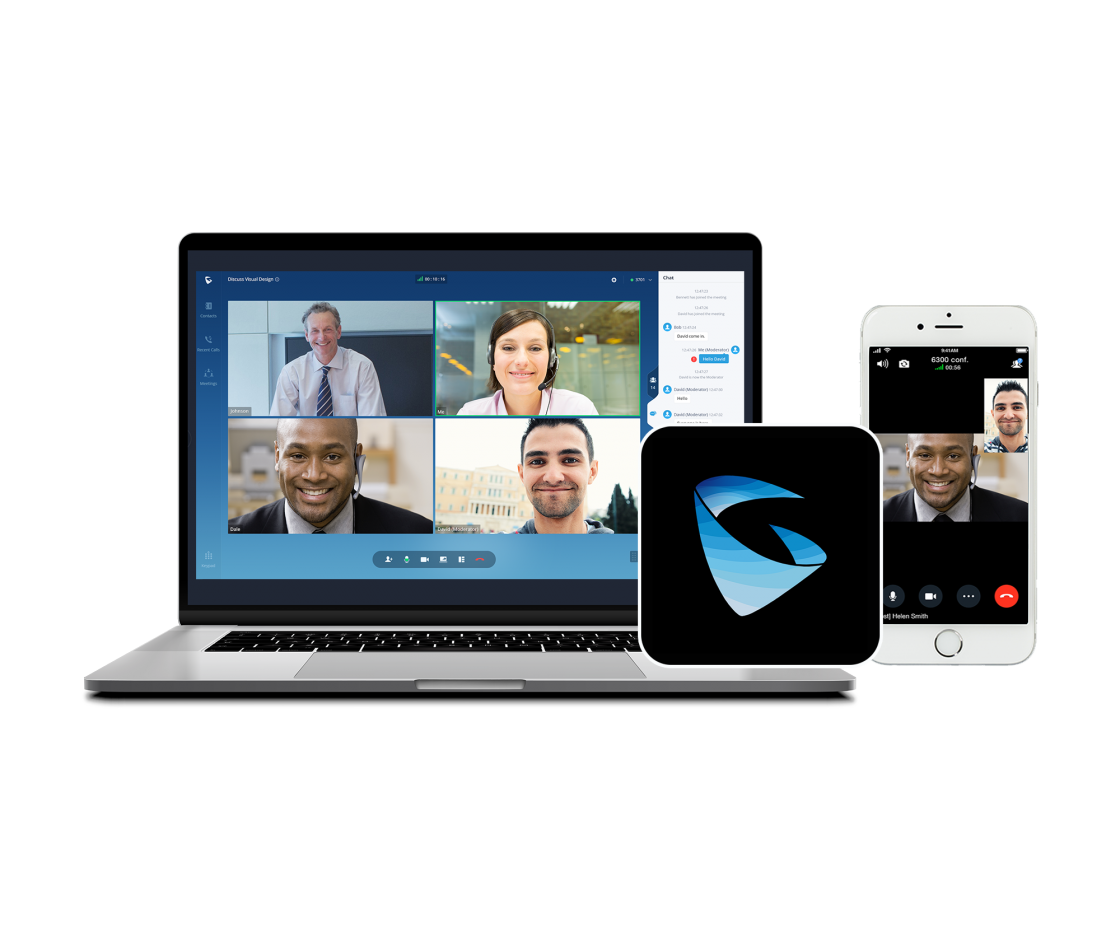
Wave is available across several access methods. Mobile users can work through Android or iOS devices. Desktop users can use Windows or macOS clients, while web access is available through supported Chrome and Firefox browser environments. Camera, built-in webcam, USB webcam, Bluetooth headset and USB headset support gives businesses a range of practical endpoint choices. Video can reach up to 1080p HD when the complete environment, bandwidth, camera, platform and meeting conditions permit it. Real-world quality will still depend on internet performance, wireless coverage, firewall handling, device resources and the selected UCM configuration.
The app should be viewed as part of a complete communications solution rather than a stand-alone calling service. A compatible Grandstream platform, properly created extensions, suitable network access, security planning and user onboarding are essential. FourTeck helps buyers review these connected requirements. That assistance can include selecting a UCM appliance or software platform, estimating user and call capacity, planning remote access, matching headsets and IP phones, checking network readiness, defining installation scope, and preparing a solution quote suitable for the organisation’s operating model in Africa.
Key Business Benefits
The strongest reasons to deploy Wave are connected to how employees work, how calls are handled and how easily the communications environment can adapt. The following benefits translate technical capabilities into practical outcomes for business users and IT teams.
◆ Work Beyond the Desk
Employees can use their authorised business extension from a supported phone, computer or browser instead of relying only on a fixed handset. This is useful for remote staff, field teams, managers and branch users who still need access to company calling functions.
◆ One Connected Communication Environment
Voice, video, chat, contacts, meetings, call history and voicemail can be brought into a shared user experience. This reduces the need to move between unrelated tools for common communication tasks and helps staff stay within the company’s UCM environment.
◆ Lower Endpoint Barriers
Because the Wave application itself is free, organisations can extend softphone access without purchasing a separate app licence for every user. The wider solution still requires a compatible platform, infrastructure and implementation plan, but the client cost is straightforward.
◆ Faster User Provisioning
A QR code generated by a compatible UCM6300 system can simplify account configuration. With correct administrator preparation, this can reduce manual typing, lower setup mistakes and make onboarding easier for distributed users.
◆ Flexible Device Choice
The availability of mobile, desktop and web access lets organisations match the endpoint to the role. A receptionist may still need a physical phone, while a travelling manager may prefer mobile access and a service agent may work from a computer with a USB headset.
◆ Better Collaboration Around Calls
Private chat, group chat, file sharing and meeting initiation help users move from a quick message to a richer conversation. Teams can coordinate before a customer call, share supporting information and start a meeting from the same communications context.
◆ Business Continuity Support
Software endpoints can provide another way for approved users to communicate when they cannot reach a desk phone. They are not a replacement for resilience planning, but they add useful flexibility when offices, teams or working locations change.
Product Highlights
Voice and Video Access
Users can join calls, conferences and meetings remotely, with support for HD audio and video resolutions up to 1080p when the platform, endpoint and connection can sustain the required quality.
Chat and File Collaboration
Private chats, group conversations, emoji, file sharing and meeting initiation provide practical communication options before, during and after a voice or video session.
Contacts, History and Voicemail
Multi-level contacts, contact search, call history and voicemail access help staff find colleagues, review previous communication and return calls without leaving the Wave interface.
Broad Endpoint Support
Android, iOS, Windows, macOS and supported web browsers give businesses several ways to connect users. Actual operating-system version support should be confirmed before rollout.
Camera and Headset Options
The app can work with mobile-device cameras, built-in computer webcams, USB webcams, Bluetooth headsets, USB headsets and other supported audio devices, allowing role-based endpoint selection.
Remote Connectivity Integration
Compatibility with UCM RemoteConnect can help create a managed path for remote users and devices. Licensing, capacity, platform version and security design should be reviewed for each deployment.
Features depend on the connected UCM system, firmware, account permissions, network path, selected remote-access service and application version. Confirm the complete environment rather than selecting the app by name alone.
Technical Specifications and Platform Details
| Specification | Details |
|---|---|
| Brand | Grandstream |
| Model / Application | Wave |
| Application Type | Softphone, meeting and collaboration client |
| Primary Ecosystem | Designed for compatible Grandstream UCM6300-series communication environments |
| Current Platform Scope | Selected UCM6300, GCC, CloudUCM and SoftwareUCM environments may be supported depending on current version and deployment; compatibility confirmation required |
| Endpoint Support | Android and iOS devices, Windows and macOS computers, Chrome and Firefox browser access |
| Core Communication | Extension calling, external calling through configured UCM routes, meetings, conferences, chat, contacts, call history and voicemail |
| Collaboration Functions | Private chat, group chat, emoji, file sharing, meeting initiation through chat, meeting scheduling and meeting participation |
| Video Capability | Up to 1080p HD, configuration and connection dependent |
| Camera Support | Mobile-device cameras, built-in webcams and supported USB webcams |
| Audio Accessories | Bluetooth, USB and other supported headsets |
| Network Access | Wi-Fi and mobile data networks; real-world quality depends on bandwidth, latency, jitter, packet loss and network policies |
| Provisioning | QR-code configuration from a compatible UCM6300 platform, subject to administrator setup |
| Remote Connectivity | Compatible with UCM RemoteConnect; plan, capacity and service requirements vary |
| Application Price | Free download; infrastructure, calls, connectivity, implementation and support may carry separate costs |
| Warranty Position | No stand-alone hardware warranty for the app; platform, device, service and project terms apply separately |
| Availability | Application download available online; full solution availability is configuration and country dependent |
Choosing the correct setup begins with the communications platform, not the app download. Buyers should confirm how many users require Wave, how many concurrent calls and meetings are expected, whether external calls will pass through SIP trunks or gateways, and how remote users will connect. A business with ten occasional mobile users needs a different capacity and security plan from a contact centre, a school group or a multi-branch operation with hundreds of registered extensions.
Endpoint standards also matter. Confirm supported operating-system versions, browser policies, headset compatibility, camera quality and network conditions before a large rollout. Where video is important, test upstream bandwidth as carefully as download bandwidth. Where call reliability is critical, review wireless roaming, firewall handling, quality-of-service policies and mobile-data behaviour. FourTeck can help map these details to a suitable UCM platform, remote-access approach and implementation scope.
Configuration and Buyer Guidance
A successful Wave deployment depends on several connected decisions. Treating it as a simple mobile app can lead to incomplete planning, especially when external calling, branch connectivity, remote access, meeting capacity or company security policies are involved. Use the following questions to define the requirement before requesting a solution quote.
How many people need access?
Count named users, expected simultaneous calls, meeting participants and future growth. Include contractors, branch staff and temporary users where they need company extensions.
Which UCM platform is in place?
Confirm the exact UCM, GCC, cloud or software platform, firmware version, capacity and licensing position. Compatibility should be validated before user rollout.
How will remote users connect?
Review UCM RemoteConnect, public-network design, firewall rules, security policy and any country-specific connectivity limitations. Avoid exposing services without a proper security plan.
What devices will staff use?
List mobile operating systems, Windows or Mac computers, supported browsers, cameras, headsets and any physical Grandstream phones that will remain part of the user experience.
What call routes are required?
Internal extension calls are only part of the picture. Define inbound numbers, outbound routes, SIP trunks, gateways, emergency calling rules and call-recording requirements where legally permitted.
What service level is expected?
Decide whether the project needs design, installation, migration, user training, remote support, on-site assistance, documentation, monitoring or ongoing administration.
It is also sensible to run a pilot with representative users. Test office Wi-Fi, home broadband, mobile data, Bluetooth headsets, external calling, voicemail notifications, contact access and video meetings. A short pilot helps reveal policy, bandwidth, usability and device issues before the deployment is expanded to the full organisation.
Ideal Business Use Cases
Wave fits organisations that already use, or plan to deploy, a compatible Grandstream communications environment and need software-based access for selected employees. The app can serve different roles without forcing every user into the same endpoint model.
Remote and Hybrid Employees
Staff working from home or between locations can access their approved business extension, company contacts, meetings and messages from a supported device. This helps maintain a consistent communication identity without depending entirely on personal mobile calls.
Mobile Sales and Field Teams
Sales representatives, consultants, technicians and project staff can remain connected to the company system while visiting customers or sites. Call routing, permissions and data usage should be designed around the real mobility pattern.
Multi-Branch Operations
Businesses with offices, clinics, stores, schools or service locations can give selected users a common communication client. A well-planned dial plan and contact structure can make inter-branch communication easier and more consistent.
Customer Service and Support
Support staff can use a computer and headset for calls while accessing chat and other desktop tools. Queue behaviour, reporting, recording, supervision and high-volume requirements must be checked against the selected UCM solution.
Education and Training Teams
Administrative staff, teachers, coordinators and campus managers can communicate across offices and join meetings from computers or mobile devices. Network separation, privacy, user permissions and support processes should be included in the rollout plan.
Healthcare and Hospitality Administration
Non-clinical healthcare teams, hotel managers, reservations staff and back-office users may benefit from flexible extension access. Deployment should follow organisational privacy, availability and acceptable-use policies.
Wave may also support temporary project teams, executives who travel, small businesses reducing dependence on fixed handsets, and organisations that need both physical phones and software endpoints. It should not be assumed that every role is best served by a softphone. Reception areas, emergency points, shared workspaces and users who handle constant calls may still need dedicated IP phones, expansion modules or specialised contact-centre tools. FourTeck can help separate mobile, desktop and physical endpoint requirements so each role receives a suitable working setup.
Grandstream Wave Flexible Calling and Meeting Access
The central strength of Wave is its ability to turn different user devices into managed communication endpoints for a compatible Grandstream environment. An employee can work from a mobile device while travelling, use a desktop client in the office, or open supported web access from an approved computer. This flexibility is important because business roles do not all have the same daily pattern. A warehouse supervisor may move constantly, a finance user may spend most of the day at a laptop, and a regional manager may alternate between both.
Calls remain connected to the organisation’s extension plan rather than becoming isolated personal-phone activity. When the UCM and call routing are correctly configured, users can reach colleagues by extension and place permitted external calls through company routes. They can also move into meetings and video collaboration when a voice conversation needs more context. Supported cameras and headsets give each role a practical way to control audio and video quality.
Good results still depend on endpoint discipline. Employees need suitable headsets, quiet working environments, stable wireless or mobile connectivity, and clear instructions about switching between networks. IT teams should define whether staff may use personal devices, how accounts are removed when people leave, which notifications are allowed, and what happens when a device is lost. Mobile operating systems can also restrict background activity, which may affect ringing or notification behaviour if power-saving settings are aggressive.
For this reason, flexibility should be accompanied by a tested deployment standard. FourTeck can help create role-based guidance covering approved operating systems, headset models, minimum network conditions, QR provisioning, user training, support escalation and fallback options. That converts a free application into a reliable part of the organisation’s daily communication process.
Grandstream Wave Collaboration, Contacts and Workflow
A business softphone becomes more useful when users can do more than dial numbers. Wave combines communication functions that support the moments before and after a call. Employees can search organised contact structures, start a call or chat from a contact record, review call history, access voicemail and continue a conversation through private or group messaging. File sharing and meeting initiation allow a discussion to progress without forcing users to rebuild the same group in a separate tool.
This can improve day-to-day coordination. A sales team may use group chat to confirm who will join a customer meeting. A service desk may send a screenshot or document while discussing an issue. A manager may see a missed call in history, return it, and then start a meeting when screen-based explanation is needed. Multi-level contacts help larger organisations present departments, sites or teams in a structure that users can navigate more easily.
The quality of the workflow depends heavily on administration. Contact data must be accurate, user names should follow a consistent convention, extension ranges should be understandable, and permissions should match job responsibilities. File-sharing rules need to align with company policy, particularly where customer, financial, student, employee or patient-related information is involved. Not every file should be exchanged through a communication client simply because the feature is available.
FourTeck can help buyers consider the complete workflow rather than only the feature list. This includes mapping departments, defining extension naming, planning groups, reviewing voicemail use, identifying meeting requirements, setting user expectations and documenting administrator tasks. A clear information structure reduces confusion and helps staff gain more value from the app after installation.
Grandstream Wave Remote Connectivity and Deployment Control
Remote calling introduces technical and security requirements that do not exist when every phone remains on the local office network. Users may connect through home routers, hotel Wi-Fi, mobile data, branch firewalls and internet links with different levels of quality. The UCM platform must authenticate accounts correctly, route media reliably and protect the communications environment from unnecessary exposure. Wave compatibility with UCM RemoteConnect can help organisations build a more manageable remote-access approach, but the correct plan and capacity still need to be selected.
Deployment control begins with the platform version and account configuration. Administrators should keep the UCM and Wave clients within supported release combinations, apply current security updates, review certificate and password practices, and remove unused accounts. QR-code provisioning can make setup faster, but codes should be handled as sensitive onboarding material. They should be issued to the correct user through an approved process and regenerated or revoked where access changes.
Network testing is equally important. Voice quality can suffer from high latency, jitter, packet loss, congested Wi-Fi or unstable mobile handover. Video adds further bandwidth demand. A pilot should test calls in both directions, transfer behaviour, voicemail access, ringing while the mobile device is locked, headset controls, meeting participation and recovery after the network changes. Firewall and quality-of-service settings may need adjustment at offices and branches.
FourTeck can assist with a deployment checklist that connects platform sizing, remote connectivity, network readiness, endpoint policy, user onboarding and support. This is particularly useful for businesses expanding across multiple sites, because a standard process makes future users easier to add and reduces the chance of inconsistent configurations.
What Buyers Should Check Before Purchase
Downloading the app is simple; selecting the right business solution requires more care. Before requesting a quote, buyers should confirm the platform, capacity, compatibility, security, support and user-experience details that surround Wave. This prevents a common situation where the client is installed but the organisation has not prepared the UCM environment, call routes or remote-access service needed to make it useful.
Platform Fit
Provide the exact UCM appliance, GCC platform, CloudUCM or SoftwareUCM environment and its current version. A new buyer should state the required user count, concurrent calls, meetings and growth period so FourTeck can recommend a suitable platform.
Compatibility Check
List the operating systems, browsers, mobile models, headsets, webcams, firewalls, SIP trunks and internet services involved. Confirm whether the business uses managed devices or employee-owned equipment.
Remote Access and Security
Define how many remote users are expected, where they work, whether UCM RemoteConnect is required, and what identity, password, device-loss and account-removal policies must be followed.
Call Routing
Explain the inbound numbers, outbound destinations, extension plan, branch dialling, queues, ring groups, voicemail, recording and transfer requirements. Calling costs and carrier services are separate from the free app.
Required Accessories
Decide which users need USB headsets, Bluetooth headsets, webcams, docking stations, physical IP phones, expansion modules or better Wi-Fi coverage. Include these items in the project scope rather than treating them as afterthoughts.
Service Expectations
State whether FourTeck should supply products only or also assist with design, configuration, migration, testing, user training, documentation, remote support or ongoing administration.
Availability and Delivery
The app is delivered online, but UCM hardware, gateways, phones, headsets and other project items depend on model, supplier status, quantity and destination. Share the delivery country and required timeframe.
Long-Term Operating Cost
Budget for internet connectivity, SIP service, remote-access plans where applicable, administration, upgrades, replacements and support. The free client is only one component of the total communication environment.
For a useful quote, send the company name, delivery country, current phone system, total users, simultaneous-call estimate, branch count, remote-user count, external-number requirement, preferred endpoint types, headset needs, target deployment date and requested support scope. FourTeck can use this information to identify the correct platform and related products instead of proposing a package based only on the application name.
Africa Availability and Service Support
FourTeck supports Grandstream communication enquiries across Africa with practical assistance for solution selection, compatibility review, quote preparation and delivery coordination. Because Wave is an online application, the app itself does not require physical shipment. The connected solution may include a UCM appliance or other compatible platform, UCM RemoteConnect requirements, SIP trunks, gateways, IP phones, headsets, webcams, switches, wireless access points, power protection and implementation services.
Availability for those items can vary by exact model, selected capacity, quantity, supplier status and destination. FourTeck therefore confirms the requirement before preparing a commercial response. This avoids presenting a generic package that may be undersized, incompatible or missing important accessories. Buyers can also request guidance on alternative models when a preferred appliance is not suitable for the expected user or call load.
Support can be scoped around the customer’s needs. Some organisations require product supply and basic advice, while others need platform configuration, extension creation, remote-user onboarding, call-route planning, network review, user training and post-deployment assistance. Warranty guidance applies to the supplied hardware and services under their respective terms; the software client does not carry a separate hardware warranty.
Africa Country and Regional Coverage
Businesses across Africa, including Kenya, Uganda, Nigeria, Ghana, Tanzania, Rwanda, Ethiopia, South Africa, Zambia, Botswana, Senegal and other regional markets, can contact FourTeck for Grandstream platform guidance and solution enquiries. Regional requirements differ, so the team reviews the intended use, delivery point, project quantity, calling environment and support scope before recommending a suitable approach.
For multi-country organisations, FourTeck can help create a consistent bill of materials while highlighting elements that may vary by location, such as carrier services, telephone-number availability, internet conditions, power standards, local implementation resources and delivery options. This makes it easier to standardise the user experience without assuming every site has the same infrastructure.
GCC, Middle East and Africa Availability
FourTeck Africa can support product enquiries for organisations operating across Africa while also guiding wider technology requirements through selected FourTeck platforms serving GCC and Middle East markets. Businesses with offices in the UAE, Saudi Arabia, Qatar, Oman, Bahrain and African locations may need a coordinated communication design that accounts for different carriers, delivery arrangements, user populations and support expectations.
A regional project should begin with a common communications standard and a site-by-site requirement list. The common standard may define the preferred UCM platform, Wave client policy, extension naming, headset type, physical-phone models, security controls and administrator procedures. The site list should then record local user counts, internet quality, inbound and outbound calling needs, equipment quantities and deployment dates. This approach supports consistency while leaving room for practical local differences.
Availability, delivery, warranty handling, configuration support and service scope may vary by country, product type, supplier position and order quantity. Buyers can explore the FourTeck Africa platform, regional resources for Kenya and Uganda, or the FourTeck UAE platform for relevant market enquiries.
Other Options Buyers May Consider
Wave is the user application, but a complete deployment normally requires a compatible communications platform and selected supporting products. The following internal links help buyers review related Grandstream and unified-communications options. Final suitability depends on user count, call capacity, deployment model and project scope.
Grandstream UCM6300 Series
On-premise unified communication appliances for organisations that need extensions, call routing, meetings and integrated Wave access.
Grandstream UCM6300 Audio Series
A communication platform option for voice-focused deployments where organisations want UCM features and Wave access without video-centric hardware requirements.
Grandstream UCM RemoteConnect
Remote connectivity services that can support secure, managed access for compatible UCM users and devices outside the main office network.
Unified Communications Solutions
Browse business communication categories covering IP PBX platforms, phones, gateways, conference devices and collaboration requirements.
IP PBX Platforms
Compare platforms for extension capacity, call handling, branch connectivity, remote users and future growth.
Business Headsets and Accessories
Select suitable USB or Bluetooth audio accessories, webcams and related endpoint items for mobile and desktop users.
A buyer does not need to select every component before making contact. FourTeck can review the number of locations, staff roles, calling needs and existing equipment, then identify which platform and endpoint options deserve further consideration. This is especially useful where the organisation is replacing an older PBX, integrating analogue lines, supporting remote staff or planning a phased rollout.
Why Buyers Choose FourTeck
Business communication projects involve more than choosing a recognisable brand. Capacity, compatibility, calling services, security, accessories, network conditions and deployment support must work together. FourTeck helps buyers translate operational needs into a structured technology requirement before the order is placed.
Pre-sales consultation is valuable when several departments have different needs. FourTeck can help separate users who need a physical desk phone from users who can work effectively through Wave, identify locations that need network improvement, and plan a pilot group before broader rollout. This can reduce unnecessary endpoint purchases while still protecting roles that require dedicated hardware.
Support is available for small and medium businesses, enterprise teams, resellers, system integrators and project buyers. The exact engagement can range from supply assistance to a wider implementation discussion. FourTeck does not rely on unverified promises of stock, delivery speed or lowest price; the objective is to prepare a realistic option that matches the customer’s technical and regional requirement.
Frequently Asked Questions
What is Grandstream Wave used for?
Wave is a softphone and collaboration application for compatible Grandstream communication platforms. Authorised users can make and receive calls, join meetings, use chat, search contacts, review call history and access voicemail from supported mobile devices, computers or web browsers. Available functions depend on the connected UCM environment, user permissions and current software versions.
Is the Wave application free?
Yes, Grandstream presents Wave as a free application. The complete business solution is not necessarily cost-free. A compatible UCM or related platform, SIP or carrier services, internet connectivity, remote-access plans, IP phones, headsets, gateways, installation and support may have separate costs. FourTeck can prepare a quote for those connected requirements.
Does Wave work without a Grandstream UCM system?
The current Wave application is designed to connect to compatible Grandstream UCM communication environments. It should not be treated as a stand-alone public calling service. Confirm the exact UCM6300, GCC, CloudUCM or SoftwareUCM platform and supported version before deployment. FourTeck can help check platform fit and recommend an appropriate option for a new project.
Which devices can use Grandstream Wave?
Wave supports Android and iOS mobile devices, Windows and macOS computers, and web access through supported Chrome and Firefox browser environments. Exact operating-system and browser versions can change as the application is updated. Businesses should test their approved devices, headsets, cameras and security policies before a large-scale rollout.
Can FourTeck help configure remote users?
FourTeck can help scope remote-user requirements, review the compatible platform, discuss UCM RemoteConnect, plan extensions, identify endpoint and headset needs, and define a deployment service. The final scope depends on the existing infrastructure, number of users, security policy, country, internet conditions and level of implementation assistance requested.
Is video conferencing supported?
Yes, Wave supports video calls, meetings and video resolutions up to 1080p HD under suitable conditions. Actual quality depends on the UCM platform, meeting configuration, application version, camera, device performance and network path. Businesses planning regular video use should test upload bandwidth, Wi-Fi coverage, latency and headset or room-audio arrangements.
Is the app available for businesses in Africa?
The application is available through online download channels. FourTeck supports Africa-based enquiries for the compatible Grandstream platform, related devices, accessories, configuration review, quote preparation and delivery coordination. Physical product availability varies by model, quantity, supplier status and destination, so confirmation is provided for each project requirement.
How do I choose the correct UCM platform?
Start with total users, simultaneous calls, meeting demand, branch count, remote-user count, SIP trunk requirements, existing analogue devices, expected growth and preferred deployment model. Also consider redundancy, management and support expectations. FourTeck can use this information to compare suitable UCM, GCC, cloud or software-based options.
Can businesses request bulk or project supply?
Yes. Organisations, resellers and system integrators can request project pricing for compatible UCM platforms, IP phones, headsets, gateways, switches, wireless access points, power protection and related items. Provide quantities, destination, target timeline and service scope. Availability and commercial terms are confirmed against the final bill of materials.
How can I request a FourTeck quote?
Use the FourTeck contact page and share your country, current phone system, user count, concurrent-call estimate, branch and remote-user numbers, external calling needs, preferred devices, accessories and required support. The more complete the information, the easier it is to prepare a relevant platform and deployment recommendation.
Need Help Planning Your Grandstream Communication Solution?
FourTeck can help review platform compatibility, user capacity, remote access, calling requirements, accessories, regional availability and deployment support. Share your business requirement to receive a solution-focused response rather than a generic app quotation.
Application features, supported platforms, versions and service options can change. Final compatibility, capacity, availability, pricing and project scope should be confirmed for the customer’s selected Grandstream environment before purchase or deployment.



Reviews
There are no reviews yet.