
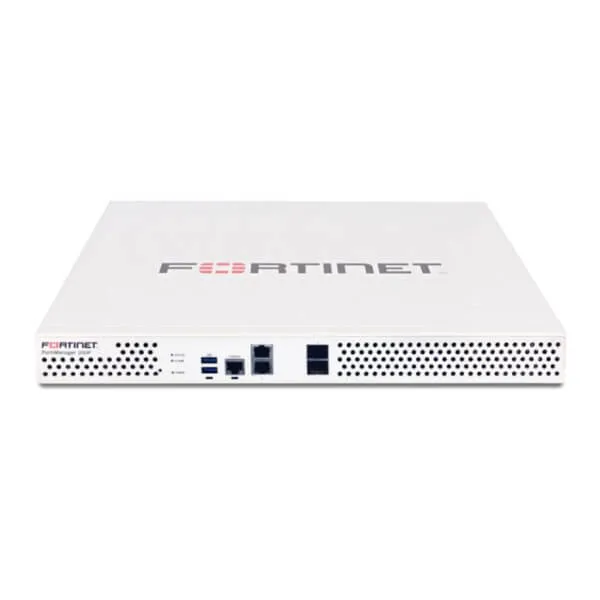
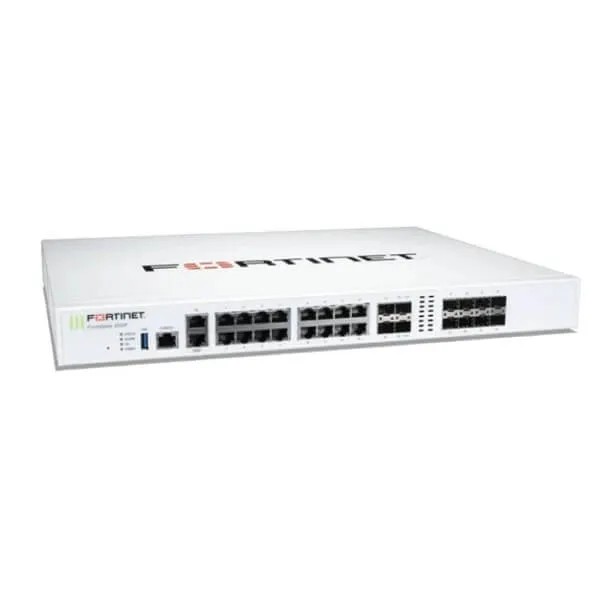
FortiMail FML-200F Email Security Appliance in Africa
A purpose-built 1U email security gateway for small organisations and branch environments that need stronger control over spam, phishing, impersonation, malware, suspicious links and message policy enforcement. FourTeck helps buyers align the appliance, FortiGuard services, support term and deployment plan with the real email environment before purchase.
Request QuoteCheck Africa Availability
Quick Product Information
Fortinet
FortiMail 200F / FML-200F
1U email security appliance
Small businesses, branches and organisations
Inbound and outbound email threat control
4 x GE RJ45
1 x 1 TB
Contact FourTeck for current options
Bundle, quote and deployment guidance
Services and features depend on the chosen bundle
Product Overview
Email remains one of the most direct routes into a business. Employees receive invoices, account notices, shared documents, delivery updates, customer enquiries, password-reset messages and collaboration invitations throughout the day. Attackers use the same familiar communication patterns to distribute phishing pages, impersonate executives, redirect payments, deliver malware and create false urgency. A dedicated security gateway gives the organisation a controlled inspection point before risky messages reach user inboxes or sensitive information leaves the company.
The FortiMail FML-200F Email Security Appliance is designed for organisations that prefer a physical, locally managed platform rather than relying only on a hosted filtering service. It can be positioned in front of an on-premise mail server, used in gateway designs supporting hybrid services, or deployed where administrators need direct control over message policies, domains, logs and mail handling. Fortinet positions this model for small businesses, branch offices and organisations, with capacity figures that make it suitable for modest but security-conscious environments.
Its value is not limited to blocking obvious junk mail. The wider FortiMail platform combines multiple controls for spam, malware, phishing, impersonation, outbreak response, sender authentication and suspicious-content handling. Features such as SPF, DKIM and DMARC checks can support stronger sender verification, while policy controls help administrators determine how different domains, users or message types should be treated. The exact capability set depends on the active FortiGuard package, software version and configured operating mode, so the commercial bundle is as important as the appliance itself.
For an Africa-based buyer, the practical decision usually includes more than the hardware order code. The IT team must consider the current mail platform, number of protected domains, normal and peak message volume, expected retention, quarantine approach, internet reliability, available rack space, power protection, support period and integration with existing Fortinet tools. An appliance can be technically suitable yet still be poorly matched if the organisation needs features reserved for a larger model, requires cloud API integration, expects redundant power, or plans rapid growth.
FourTeck helps convert these technical questions into a clear procurement plan. Buyers can share the existing mail topology, domain count, expected users, daily traffic, desired protection services and deployment location. The resulting discussion can cover the base hardware, FortiCare support, FortiGuard Base or Enterprise Advanced Threat Protection bundles, related FortiSandbox requirements, installation readiness and suitable alternatives where the 200F is too small or lacks a required function.
Key Business Benefits
A productive email security project should protect users while keeping administration understandable. The benefits below connect the appliance capabilities to everyday business outcomes rather than treating security as a list of isolated technical functions.
◆ Reduced Inbox Risk
Layered inspection helps reduce the volume of spam, malicious attachments, phishing attempts and deceptive links reaching employees. Fewer dangerous messages mean fewer opportunities for rushed users to expose credentials, approve false payments or open harmful files.
◆ Local Policy Control
A physical appliance gives the internal team direct control over domains, sender rules, message handling, quarantine policies, routing and administrative roles. This can suit organisations that prefer on-premise visibility or have specific operational requirements.
◆ Better Sender Verification
Support for email authentication checks helps teams evaluate whether messages genuinely originate from the domains they claim to represent. Correctly implemented SPF, DKIM and DMARC policies can strengthen protection against common impersonation techniques.
◆ Clearer Incident Review
Message tracking, logs, reporting and administrative dashboards can help IT staff investigate what was received, how a message was classified and what action was taken. This improves response quality when a user reports suspicious mail.
◆ Policy by Business Need
Different domains, departments and user groups may require different controls. Policy-based handling allows an organisation to apply stricter treatment to finance or executive mail while maintaining practical workflows for other teams.
◆ Controlled Outbound Mail
Outbound filtering can support safer communication by checking messages leaving the organisation and enforcing selected content or routing policies. This is useful for reducing accidental exposure and maintaining consistent mail handling.
◆ Scalable Product Family
The 200F belongs to a broader FortiMail appliance and virtual-machine range. Buyers can start with a model suited to a smaller environment while retaining a clear path to larger hardware, virtual or hosted options as requirements change.
Product Highlights
Fits standard rack environments where businesses want a dedicated security gateway without using excessive space.
Provides 4 x Gigabit Ethernet RJ45 ports for management and mail-flow connectivity planning.
Includes a single 1 TB drive for local appliance functions, subject to retention and deployment design.
Can be purchased with service bundles that add ongoing anti-spam, antivirus, outbreak and advanced threat capabilities.
Fortinet publishes an email routing performance figure of up to 50,000 messages per hour for the 200F under its stated test conditions using 100 KB messages without queuing. The published figure is 40,000 messages per hour with FortiGuard Antispam and Virus Outbreak controls, and 30,000 messages per hour with the Enterprise Advanced Threat Protection workload. These figures are useful for initial sizing, but real performance will vary with message size, attachment type, enabled inspection, concurrency, policy complexity, software release and network conditions.
The appliance is listed for up to 20 protected email domains and 150 local mailboxes in server mode. It supports a Trusted Platform Module and uses a single power supply. It does not include RAID storage management or a redundant hot-swappable power design, so buyers with strict resilience requirements should evaluate a larger FortiMail appliance, a high-availability pair, or another deployment architecture.
The wider platform supports security-fabric integration, management APIs, reporting, high-availability modes and multiple mail handling options. Not every capability is included in every model or service package. FourTeck therefore recommends confirming the desired feature against the current datasheet, ordering guide and final quotation rather than assuming that a platform-level capability is included with the base hardware.
Technical Specifications
| Specification | FortiMail 200F Detail |
|---|---|
| Brand and model | Fortinet FortiMail 200F, order code FML-200F |
| Recommended deployment | Small businesses, branch offices and organisations |
| Network interfaces | 4 x 10/100/1000 copper RJ45 |
| Storage | 1 x 1 TB |
| Memory | 4 GB |
| Form factor | Rack mount, 1U |
| Trusted Platform Module | Included |
| Power supply | Single |
| Protected email domains | 20 published maximum; domain associations and licensing rules should be reviewed |
| Server-mode local mailboxes | 150 |
| Profiles per domain / system | 50 / 60 for antispam, antivirus, authentication and content profiles |
| Email routing performance | Up to 50,000 messages per hour under published test conditions |
| Antispam plus outbreak performance | Up to 40,000 messages per hour under published test conditions |
| Enterprise ATP performance | Up to 30,000 messages per hour under published test conditions |
| Dimensions | 44 x 438 x 422 mm; 1.73 x 17.24 x 16.61 inches |
| Weight | 5.4 kg / 11.9 lb |
| Power input | 100–240 V AC, 50–60 Hz |
| Maximum power required | 62 W |
| Average power consumption | 51 W |
| Operating temperature | 0°C to 40°C / 32°F to 104°F |
| Services and warranty | Configuration dependent; confirm FortiCare and FortiGuard package in the final quotation |
How to Read the Specifications
Published throughput is a sizing reference, not a guarantee for every production environment. Large attachments, deep inspection, advanced scanning, concurrent connections, unusual routing, logging volume and complex policies can reduce effective capacity. Buyers should compare peak-hour traffic rather than relying only on a daily average.
The single drive and single power supply are also important. They keep the appliance compact, but they do not provide the component redundancy expected in some data centres. Where email continuity is critical, discuss high availability, upstream mail queuing, backup MX design, power protection, replacement procedures and whether a larger appliance offers a better operational fit.
Configuration and Buyer Guidance
Selecting an email security appliance by model name alone can lead to an undersized system or a bundle that does not provide the expected protection. Before requesting a commercial offer, build a simple requirement profile covering the mail flow, business risk and operational expectations.
How Much Mail Is Processed?
Estimate normal and peak messages per hour, average attachment size, seasonal spikes and growth. Peak traffic provides a more useful sizing basis than user count alone.
Which Domains Need Protection?
List all primary, subsidiary, project and customer domains. Confirm whether shared policies or separate administration are required for each domain.
Which Mail Platform Is Used?
Document whether the environment uses Microsoft Exchange, another on-premise server, a hybrid design, a hosted platform or multiple mail systems.
What Protection Level Is Expected?
Clarify whether basic anti-spam and antivirus are sufficient or whether advanced threat analysis, sandboxing, click protection and wider integrations are required.
What Happens During an Outage?
Plan mail queuing, backup routes, high availability, power protection, internet failover and administrator access before the system becomes part of production.
Who Will Manage It?
Identify internal administrators, escalation contacts, change windows, reporting needs, policy ownership and training requirements.
A complete quote request should include the preferred support period, desired FortiGuard bundle, quantity, delivery destination, installation expectations and any requirement for migration assistance. FourTeck can then review whether the 200F matches the planned workload or whether FortiMail 400F, 900G, a virtual appliance or a hosted service would reduce long-term risk.
Ideal Business Use Cases
Small Corporate Headquarters
A company with a locally managed mail gateway can use the appliance to filter inbound and outbound traffic, enforce domain policies and give administrators a central place to investigate suspicious messages.
Branch or Regional Office
A regional site with its own mail services or a controlled routing requirement may deploy dedicated email protection close to local systems while coordinating policy with the wider organisation.
Professional Services Firm
Legal, accounting, consulting and engineering firms exchange sensitive documents and payment information. Stronger filtering and sender verification can reduce exposure to impersonation and malicious attachments.
School or Training Institution
Education teams handle messages from students, parents, suppliers and public addresses. A dedicated gateway can reduce unwanted mail and provide consistent policy control for administrative domains.
Healthcare and Community Services
Clinics, laboratories and service organisations can use email security controls to reduce malicious content entering daily workflows where staff may not have specialist security training.
Finance and Payment Teams
Departments that receive invoices, bank notices and payment-change requests are frequent impersonation targets. Dedicated message controls support stronger verification and investigation processes.
The appliance is not automatically suitable for every small organisation. A business using only cloud mail may prefer a hosted gateway or API-based service, while a rapidly growing enterprise may need more protected domains, redundant storage, higher performance or centralised quarantine. The correct use case is one where the organisation values direct control, has the operational capacity to manage the appliance and can support it with a properly selected subscription.
FortiMail 200F Multi-Layer Email Threat Protection
Modern email attacks rarely depend on one obvious indicator. A message may use a trusted-looking display name, a newly registered domain, a link that redirects after delivery, a password-protected attachment, a compromised supplier mailbox or an urgent payment request. Multi-layer inspection matters because one control can miss what another layer identifies.
The FortiMail platform brings together reputation checks, spam analysis, malware scanning, outbreak intelligence, sender authentication, content inspection and policy enforcement. FortiGuard services provide continuously updated intelligence for subscribed functions, while administrators define how suspicious messages are tagged, quarantined, rejected, routed or delivered. Click protection and advanced threat services may add another layer when included in the chosen bundle and supported by the deployment.
For buyers, the important question is not simply whether the appliance “blocks phishing.” It is which controls are included, how they are licensed, how administrators will tune false positives, and how users will report suspicious mail. A technically capable gateway can still produce poor results if policies are too permissive, too aggressive or not reviewed after the initial installation.
FourTeck can help buyers map their threat concerns to the bundle and deployment design. A finance team worried about impersonation may prioritise sender authentication, executive protection and message-tracking workflows. A school may prioritise spam reduction and simple quarantine handling. A managed service provider may require separate domain policies and role-based administration. The same appliance can serve different goals, but the policy plan must match the organisation.
FortiMail 200F Message Control and Administration
Security teams need more than a final allow-or-block decision. They need visibility into why a message was treated in a particular way, which policy applied, whether similar messages reached other recipients and what action can be taken after a user raises an alert. FortiMail includes message tracking, reporting, logging, administrative controls and quarantine functions at the platform level, giving teams a structured way to examine email events.
Role-based administration can help separate responsibilities between a general IT team, a security administrator and a service provider. Per-domain controls are useful where one appliance protects more than one business unit or customer domain. LDAP integration can support directory-based policy and recipient verification, while secure delivery and encryption capabilities may be considered for sensitive communications where the selected license and deployment support them.
Operational design matters. Administrators should decide who reviews quarantine, how long logs are retained, which events are forwarded to external monitoring, how policy changes are approved, and how configuration backups are protected. Alerting thresholds should be meaningful enough to prompt action without generating constant noise. Where an organisation already uses FortiAnalyzer, FortiSIEM, FortiSOAR or other Fortinet tools, integration options can be reviewed as part of a wider security operations plan.
The 200F has limits that buyers should recognise. The current published specification does not list centralised quarantine or Data Loss Prevention for this model, and cloud email API integration is not shown as an option for the 200F in the same table. Organisations that require those functions should not assume they are present. FourTeck can help confirm the current release and recommend another FortiMail model or service where these capabilities are mandatory.
FortiMail 200F Deployment Flexibility and Continuity Planning
FortiMail can be deployed in gateway, transparent and server-related operating scenarios, depending on the platform and design. A gateway approach places the appliance in the mail path and allows it to receive, inspect and relay messages. Transparent deployment can reduce changes to certain mail routing designs. Server mode adds local mail-server functions for specific requirements. The chosen method affects DNS, firewall rules, certificates, mail connectors, backup routes and migration steps.
A reliable deployment begins with mail-flow mapping. The team should document public MX records, outbound smart hosts, internal relay systems, accepted domains, trusted sources, authentication, TLS certificates, anti-spoofing rules and fallback behaviour. During migration, administrators need a test plan that verifies inbound delivery, outbound delivery, large attachments, application relays, automated alerts and external partners before moving all traffic.
Continuity planning is especially important because the hardware uses one power supply and one local drive. A rack UPS can protect against short power events, but it does not replace a broader continuity design. Organisations may consider a high-availability pair, backup MX service, upstream queuing, secondary internet access and documented replacement procedures. The right approach depends on the cost of delayed mail and the technical resources available.
Some buyers may decide that a hosted FortiMail service or virtual appliance offers a better match for their infrastructure. Others prefer physical control because of policy, operational or data-location requirements. FourTeck can help compare these choices without assuming that hardware is always the correct answer. The objective is a manageable email security architecture that continues working during routine maintenance, connectivity issues and security incidents.
What Buyers Should Check Before Purchase
Before requesting a quote, buyers should confirm the required configuration, usage environment, compatibility needs, support expectations and delivery location. Email security purchases often fail when the discussion focuses only on the appliance price while ignoring subscription services, domain limits, message peaks, continuity design and integration work. FourTeck can review these details so the selected option matches the business requirement rather than the model name alone.
Configuration Fit
Provide peak messages per hour, domains, user count, attachment profile, mail platform and expected growth. This helps determine whether the published capacity has enough operating margin.
Bundle and Renewal
Confirm whether the offer includes Base protection or Enterprise Advanced Threat Protection, the support level, the subscription term and the expected renewal process.
Compatibility Check
Share Exchange, cloud, hybrid, LDAP, DNS, firewall and certificate details. Application relays, scanners and business systems that send mail must also be included.
Resilience Requirements
Decide whether a single appliance is acceptable. Ask about HA, backup MX, UPS, spare strategy and the recovery process if the device or internet connection fails.
Rack and Power Readiness
Confirm 1U rack space, front-to-back airflow, 100–240 V AC input, cabling, network ports, UPS capacity, earthing and a suitable operating temperature.
Feature Gaps
Check whether Data Loss Prevention, centralised quarantine, cloud API integration, redundant power or RAID are required. These are not listed for the 200F in the current comparison table.
Deployment Scope
Clarify whether the requirement includes rack installation, policy design, mail-flow migration, certificate setup, testing, administrator training and post-cutover support.
Quote Preparation
Send the delivery country, quantity, required term, tax or shipping expectations, preferred lead time and alternative-model acceptance so the commercial response is complete.
Africa Availability and Service Support
FourTeck supports product enquiries across Africa with assistance for appliance selection, configuration review, subscription planning, quotation requests, delivery coordination and warranty guidance. Availability can vary according to supplier status, selected FortiGuard bundle, FortiCare term, order quantity and destination. For that reason, a current enquiry is recommended before an implementation date is committed.
Buyers receive the best guidance when they share a concise requirement. Include the current mail platform, number of protected domains, peak message rate, approximate users, desired security services, deployment mode, quantity and preferred contract term. Where the 200F does not provide enough capacity or a required function, FourTeck can discuss FortiMail 400F, 900G, virtual appliances, hosted service options or a wider design that includes FortiSandbox.
Delivery coordination may include commercial documentation, route discussion and estimated lead-time guidance after the exact configuration is confirmed. Warranty handling depends on the purchased FortiCare service and supply route. FourTeck can explain the available support terms and help buyers retain the correct order details for future renewal or service requests.
Africa Country and Regional Coverage
Businesses across Africa, including Kenya, Uganda, Nigeria, Ghana, Tanzania, Rwanda, Ethiopia, South Africa, Zambia, Botswana, Senegal and nearby regional markets, can contact FourTeck for availability checks, configuration guidance and quotation assistance. The support conversation can cover the correct appliance, suitable subscription, deployment requirements, project quantity and alternative options based on the business use case.
Regional conditions can influence the final design. Power stability, internet redundancy, available rack infrastructure, local technical resources and delivery routes may differ between locations. A branch with limited on-site support may need a simpler management and recovery plan, while a headquarters deployment may require formal change control, high availability, external logging and a documented renewal schedule.
FourTeck uses one coordinated requirement process rather than repeating the same product claims for every country. Buyers can begin with the Africa contact channel and provide the delivery destination, quantity, target date and technical requirement. Where local or regional follow-up is useful, the team can guide the enquiry through the relevant FourTeck platform.
GCC, Middle East and Africa Availability
FourTeck Africa can support product enquiries for organisations operating across Africa while coordinating wider technology requirements through selected regional platforms for GCC and Middle East markets. This is useful for groups with shared email domains, common security policies or procurement teams that serve offices in more than one region.
Customers connected with the UAE, Saudi Arabia, Qatar, Oman or Bahrain may require the same appliance standard, support term and policy design across multiple sites. Availability, delivery options, service handling and commercial conditions can vary by country, product configuration, supplier status and order quantity. Buyers should therefore identify the final delivery points and desired contract structure at the beginning of the discussion.
Regional information can be reviewed through FourTeck Africa, FourTeck Kenya, FourTeck Uganda and FourTeck UAE. The right channel depends on the project location and commercial requirement.
Other Options Buyers May Consider
The best alternative depends on whether the limitation is capacity, resilience, cloud integration, deployment preference or the need for deeper threat analysis. The following options help buyers frame a useful comparison before committing to one platform.
FortiMail 400F
A larger 1U model for small to midsized organisations needing more domains, memory, storage and throughput, with optional dual power and additional platform functions.
FortiMail 900G
A stronger choice for mid-to-large organisations needing higher message capacity, more protected domains, redundant power, larger storage and broader resilience features.
FortiMail Virtual Appliance
Suitable where the organisation has a supported virtual or cloud platform and prefers software-defined deployment over a dedicated physical device.
FortiMail Cloud
A hosted route for organisations that want Fortinet to operate the underlying service infrastructure while the customer focuses on monitoring and response.
FortiSandbox Support
Useful when the security plan requires deeper analysis of unknown attachments and suspicious files as part of a wider Fortinet architecture.
FortiGate Security Integration
Email protection can be coordinated with network security, logging and incident response. Smaller branch designs may also review the FortiGate FG-41F.
Why Buyers Choose FourTeck
Email security procurement connects technical, financial and operational decisions. FourTeck helps buyers organise those decisions into a practical path instead of treating the purchase as a simple appliance shipment.
Guidance for organisations, resellers, integrators and project buyers that need clear commercial documentation and product matching.
Review of domains, message volume, mail platform, deployment method, feature requirements and expected growth before final selection.
A structured quotation process covering the hardware, services, term, quantity, destination and optional implementation needs.
Support for discussing delivery locations, commercial timing and order requirements after the selected configuration is confirmed.
Help understanding the chosen FortiCare term, support route, renewal planning and the documentation needed for future service requests.
Discussion of larger FortiMail models, virtual or hosted options, FortiSandbox and network-security integration where the project needs more.
FourTeck does not rely on unverified stock, unsupported performance promises or a one-size-fits-all recommendation. The goal is to help the buyer provide the right information, understand the limitations of the selected model and receive a quotation that can be reviewed by both technical and procurement teams.
Frequently Asked Questions
What is the appliance used for?
It is used to inspect and control business email traffic. Depending on the selected services and configuration, it can help reduce spam, phishing, impersonation, malware and other email-borne threats while supporting message tracking, sender authentication and policy-based mail handling.
Who should consider the 200F model?
Fortinet positions it for small businesses, branch offices and organisations. It is most suitable where the published domain, performance, storage and resilience limits match the real environment and the buyer prefers a physical, locally managed email security gateway.
Is the hardware available in Africa?
FourTeck supports availability enquiries across Africa. Current supply depends on the exact order code, bundle, support term, quantity, supplier status and destination. Submit the required configuration and delivery location for a current quotation and lead-time discussion.
Does the base hardware include all security services?
No. The appliance and the active security services must be reviewed together. FortiGuard Base and Enterprise Advanced Threat Protection bundles provide different capabilities. The final offer should clearly identify the included services, FortiCare level and subscription period.
Can FourTeck help choose the correct bundle?
Yes. FourTeck can review the organisation’s threat concerns, mail platform, domain count, message volume, integration requirements and budget period. This helps determine whether the base bundle, advanced protection or another FortiMail deployment is more suitable.
Does this model have redundant power or RAID?
The published specification lists a single power supply and one 1 TB drive without RAID storage management. Buyers who require component redundancy should discuss a high-availability design, backup mail routing or a larger FortiMail model with stronger hardware resilience.
How many email domains can it protect?
The official comparison table lists 20 protected email domains for the 200F. Domain associations may support additional related domains that share configuration, and an advanced management licence can affect the published limit. Confirm the current licensing rules before purchase.
Can it work with Microsoft 365 or Google Workspace?
A gateway design may be possible depending on the mail-flow architecture, but the current appliance comparison table does not list cloud email API integration for the 200F. Share the exact cloud or hybrid requirement so FourTeck can verify the correct option.
What information is needed for a quote?
Provide the delivery country, quantity, protected domains, peak message volume, mail platform, expected users, preferred FortiGuard package, support term, high-availability requirement, installation scope and target date. Clear information reduces delays and improves model accuracy.
Can businesses request bulk or project supply?
Yes. Organisations, resellers and system integrators can submit multi-unit or multi-location requirements. Include quantities per destination, desired contract terms, deployment schedule and whether central policy or standardised configuration is planned across the project.
Need Help Choosing the Right Email Security Option?
FourTeck can help review product availability, message volume, domain limits, service bundles, warranty guidance, deployment requirements and delivery planning for your business location.



Reviews
There are no reviews yet.