

Quick Product Information
Grandstream
GMD1208
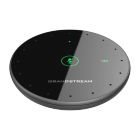
Desktop wireless conference microphone
Extending meeting-room voice pickup
Eight omnidirectional MEMS microphones
360° capture, up to 5 m radius
Proprietary 2.4 GHz, Bluetooth and USB BYOD
1500mAh lithium-ion, up to 12 hours talk time
Grandstream GVC3220 conferencing system
Supplier and configuration dependent
Africa and supported regional destinations
Selection, quote, compatibility and delivery guidance
A Practical Audio Extension for Modern Meeting Rooms
A conference room can have an excellent display, capable video camera and reliable collaboration platform, yet still deliver a poor meeting experience when voices are difficult to hear. The challenge is often physical rather than digital: participants sit at different distances from the main conferencing unit, speak at different volumes and turn toward colleagues rather than toward a fixed microphone. The Grandstream GMD1208 addresses this gap by placing a dedicated wireless pickup point closer to the people around the table.
The device is built around eight omnidirectional MEMS microphones and dynamic beamforming. Instead of relying on a single direction, the microphone array can work across multiple beam directions to capture conversation around the unit. Its 360-degree pickup pattern and stated radius of up to five metres make it suitable for rooms where participants are seated around a boardroom table, in a circular training layout or across a shared collaboration space. The design lets an administrator place the microphone where voices need to be captured, without stretching a long signal cable across the tabletop.
Its primary role is as an extension microphone for the Grandstream GVC3220 Ultra HD multimedia conferencing system. It also supports integrated Bluetooth and a USB BYOD mode, giving buyers more connection flexibility when the intended host device and operating setup are verified. The microphone uses proprietary 2.4 GHz wireless connectivity for its dedicated conferencing link, while ultrasound pairing is designed to make the pairing process more straightforward in supported deployments.
For business teams, the value is not simply that the microphone is wireless. The value is that room audio can be planned around the actual seating arrangement. A well-positioned microphone can reduce the need for people to repeat themselves, lean toward the conferencing system or pass a handheld microphone from one participant to another. This can make discussions more natural for executive meetings, project reviews, customer presentations, remote interviews and training sessions.
African procurement teams should confirm compatibility, available quantity, local power-plug requirements and the correct conferencing architecture before purchasing. FourTeck helps buyers review these details, match the device to a real room requirement and prepare a quotation that includes the appropriate equipment and delivery guidance.
Key Business Benefits
Conference audio affects how quickly teams understand one another, how confidently remote attendees contribute and how professional a customer-facing call feels. The following benefits connect the GMD1208 hardware to practical business outcomes.
More Inclusive Table Coverage
A 360-degree pickup pattern helps capture voices from multiple seating positions. This is useful when participants face one another during discussion rather than speaking directly toward the main video unit.
Flexible Microphone Placement
Wireless operation allows the microphone to be positioned closer to the active conversation area. Teams can adapt the placement for a boardroom, workshop, interview panel or changing table arrangement.
Reduced Tabletop Cabling
A wireless conference microphone can help avoid signal cables crossing the table. This supports cleaner meeting spaces and reduces the risk of a cable being pulled when laptops, documents or refreshments are moved.
Practical Meeting Controls
A capacitive touch mute control and visible status indicators allow participants to manage microphone state without searching through an application menu during a live discussion.
Useful Connection Choice
Dedicated 2.4 GHz, Bluetooth and USB BYOD modes can support different meeting workflows when compatibility is confirmed. This makes the device relevant to more than one room scenario.
Full-Day Battery Support
Up to twelve hours of stated talk time can cover a typical day of scheduled meetings. Charging can then be planned between sessions or overnight, depending on usage.
Expandable Room Planning
Cascade support for up to two units gives compatible deployments an option for broader or more balanced pickup. Final layout should be confirmed against the host system and room design.
Product Highlights That Matter in Daily Use
The GMD1208 is a focused conference-room accessory rather than a general-purpose studio microphone. Its design choices are centred on group speech, tabletop placement and collaboration-system integration. Eight omnidirectional MEMS microphone elements work with dynamic beamforming, selecting from multiple beam directions to improve capture around the device. For procurement teams, this means the microphone should be evaluated according to room layout and participant position, not only by its physical size.
ANS, automatic gain control, dynamic range control and Noise Shield technology support clearer group speech in suitable room conditions.
The Opus codec supports efficient, high-quality voice transmission within the compatible conferencing workflow.
Dedicated LED indicators communicate device, mute and power status, helping users understand the microphone state during meetings.
At approximately 105 × 105 × 16.9 mm and 131.4 g, the microphone can sit unobtrusively on a meeting table and move when seating changes.
Connection distance is specified at up to 66 feet in proprietary 2.4 GHz mode and up to 33 feet in Bluetooth mode. These figures describe the maximum radio connection distance under suitable conditions, not the guaranteed voice pickup radius. The pickup radius is stated separately at up to five metres. Walls, interference, room acoustics, host-device positioning and other wireless equipment can affect practical performance, so installers should test the intended room rather than assuming the maximum figure will apply in every environment.
The built-in 1500mAh lithium-ion battery supports up to twelve hours of talk time, while the Micro-B USB port is used for charging, BYOD microphone operation and upgrading. Buyers should include charging responsibility in the room operating procedure so the device is ready for important meetings.
Technical Specifications
| Specification | Details |
|---|---|
| Brand / model | Grandstream GMD1208 |
| Product type | Desktop wireless extension microphone for conference-room use |
| Primary companion system | Grandstream GVC3220 Ultra HD multimedia conferencing system |
| Microphone array | Eight omnidirectional MEMS microphones |
| Voice pickup | 360-degree full-band pickup with a stated radius of up to 5 metres |
| Beamforming | Dynamic beamforming with selection from up to 24 beam directions |
| Wireless / connection modes | Proprietary 2.4 GHz, Bluetooth and Bring Your Own Device (BYOD) |
| Maximum connection distance | Up to 66 ft in 2.4 GHz mode; up to 33 ft in Bluetooth mode |
| Bluetooth | Bluetooth 2.1 + EDR |
| Pairing | Ultrasound pairing technology for supported deployments |
| Audio features | ANS, AGC/DRC and Noise Shield technology |
| Audio codec | Opus |
| Cascade capability | Up to two units, subject to supported system design |
| Auxiliary port | Micro-B USB port for charging, BYOD microphone use and upgrading |
| Controls and indicators | Capacitive touch mute control; tri-colour status LED; dual-colour mute and power LEDs |
| Battery | 1500mAh lithium-ion battery; up to 12 hours stated talk time |
| Power adapter | Adapter included; stated input 220V and output 5V, 1A. Confirm local plug and supply requirements. |
| Dimensions / weight | 105 × 105 × 16.9 mm; approximately 131.4 g |
| Operating environment | 0°C to 40°C; 10% to 90% non-condensing humidity |
| Package contents | GMD1208 microphone, USB cable, quick installation guide, power supply and GPL licence documentation |
| Warranty and availability | Region, supplier and order dependent; confirm in the written FourTeck quotation |
How to read these specifications
The maximum wireless connection distance and the voice pickup radius describe different things. Connection distance refers to how far the microphone can communicate with the paired host under suitable radio conditions. Pickup radius refers to the area in which the microphone array is intended to capture speech. A large wireless range does not automatically mean every voice in a large or acoustically difficult room will be equally clear. Room shape, ceiling height, hard surfaces, background noise, air-conditioning, seating direction and participant volume all affect the result.
Buyers should also distinguish between direct GVC3220 integration, Bluetooth operation and USB BYOD use. These modes may have different pairing procedures, control behaviour and host-device expectations. Before ordering, identify the exact conferencing endpoint, operating system, meeting application and connection method. For a larger room, do not assume a second microphone can simply be added without checking the supported cascade design. FourTeck can help review the proposed layout and prepare the correct bill of materials.
Configuration and Buyer Guidance
A conference microphone should be selected as part of the room audio design, not as an isolated accessory. Start by mapping the seating arrangement. Note where the main conferencing system sits, where participants normally speak from and whether the table shape changes. A rectangular boardroom table may need a different microphone position from a classroom, U-shaped training room or executive office.
1. Confirm the host
Provide the exact model of the conferencing system, computer or Bluetooth device. Compatibility should be verified before a purchase order is issued.
2. Describe the room
Share approximate room dimensions, table shape, seating capacity, common speaker positions and any known echo or background-noise concerns.
3. Choose the connection
Decide whether the intended workflow uses the proprietary wireless link, Bluetooth or USB BYOD mode. The answer affects pairing and user procedure.
4. Plan charging
Assign responsibility for charging between meetings. Consider where the cable and power adapter will be kept so the microphone remains available.
5. Review quantity
A single unit may suit a compact room, while a longer table may require a supported two-unit design. Quantity should follow room testing and compatibility review.
6. Confirm support terms
Request written information about supplied accessories, warranty route, lead time, delivery destination and any installation assistance required.
For a new meeting-room project, also consider the camera, display, speakers, network connection, meeting platform and room acoustics. Good audio capture cannot correct every source of echo or external noise. Where the room has reflective glass walls, high ceilings or loud air-conditioning, an acoustic review may be as important as the microphone choice. Sharing these details with FourTeck enables a more useful quotation and reduces the chance of ordering a technically compatible device that does not suit the room.
Ideal Business Use Cases
The GMD1208 is most useful where several people share a conversation and the main conferencing endpoint cannot sit close to every speaker. The following scenarios show how its capabilities can support real working environments.
Executive Boardrooms
Senior leadership meetings often involve a long table and frequent discussion between people on opposite sides. A centrally placed wireless microphone can bring voice pickup closer to the conversation while keeping the table tidy.
Hybrid Project Reviews
Engineering, finance, operations or customer teams can use the microphone during hybrid reviews where in-room participants need to speak naturally while remote specialists follow the discussion.
Training and Workshops
In a small training room, the microphone can be repositioned as participants form groups or move from presentation mode to open discussion, subject to the wireless and pickup limits of the room.
Customer Presentations
Clearer speech capture supports professional calls with customers, vendors and partners. The touch mute control is useful when the local room needs a private side discussion.
Interview Panels
A panel seated around one table can use a shared omnidirectional microphone so remote candidates or interviewers hear responses from different positions without passing a handset.
Branch Collaboration Rooms
Regional offices can add a dedicated microphone to a compatible Grandstream room system, helping local teams participate in company-wide meetings with more balanced table coverage.
The product is less suitable where the requirement is stage sound reinforcement, outdoor public-address capture, studio recording or very large auditorium coverage. Those applications normally require different microphone types, mixing equipment and acoustic design. It should also not be selected solely because it is wireless. The host-device relationship, supported controls and pickup coverage must match the project.
For organisations standardising multiple meeting rooms, FourTeck can help separate small-room, medium-room and larger-room requirements. This enables procurement teams to use the GMD1208 where it is appropriate and consider a different conference-audio architecture where room size or participant count exceeds its intended role.
Grandstream GMD1208 Dynamic Beamforming and 360° Pickup
The most important audio feature is the combination of eight omnidirectional MEMS microphone elements and dynamic beamforming. An omnidirectional element can receive sound from around the microphone, while the array and processing help the device work across multiple beam directions. Grandstream specifies selection from up to twenty-four beam directions, creating a practical way to cover conversation around a table.
For buyers, beamforming matters because meeting speech is rarely controlled. One person may sit back in a chair, another may turn toward a colleague, and a third may speak while looking at notes. A microphone that is designed for group coverage can accommodate these natural movements better than asking every participant to lean toward a single front-facing pickup point. This supports a more comfortable meeting rhythm and helps remote attendees follow exchanges between multiple people.
The stated pickup radius of up to five metres should be treated as a planning figure, not a promise that every room will sound identical. Hard walls and glass can produce reflections, open windows may introduce traffic noise, and a loud air-conditioning unit can reduce speech clarity. The microphone’s ANS, gain-control and Noise Shield features can support audio quality, but room conditions remain important. Position the unit on a stable surface away from paper shuffling, laptop fans and direct air flow. Avoid placing it behind a tall display, water bottle or stack of files that could interfere with direct speech paths.
During commissioning, run a real test call with people speaking from every normal seat. Ask the remote listener to confirm volume consistency and clarity. This simple test is more useful than checking only whether the microphone connects. FourTeck can help buyers translate room dimensions and seating patterns into an initial placement plan before equipment is shipped.
Grandstream GMD1208 Wireless, Bluetooth and BYOD Flexibility
The microphone provides three connection approaches: a proprietary 2.4 GHz mode, Bluetooth and USB-based BYOD operation. This flexibility is useful, but it also makes pre-purchase verification essential. Each mode should be matched to the actual conferencing endpoint and the way users start meetings.
The proprietary wireless mode is intended for supported Grandstream conferencing integration and offers a stated maximum connection distance of up to 66 feet under suitable conditions. Ultrasound pairing helps streamline connection in the intended system. Bluetooth 2.1 + EDR provides another option for compatible Bluetooth hosts, with a stated maximum connection distance of up to 33 feet. The Micro-B USB port can support charging, upgrading and BYOD microphone use with a computer where the operating environment recognises the device.
From an operational perspective, businesses should decide which mode users will rely on. A room that changes hosts every day may need a clear connection guide placed near the microphone. A fixed GVC3220 room may use the dedicated pairing workflow and require less user intervention. A laptop-based space may need the microphone selected as the input device in the operating system and meeting application. IT administrators should document these steps so users do not lose the first minutes of a meeting troubleshooting audio selection.
Wireless planning should also consider nearby 2.4 GHz networks, Bluetooth peripherals and other radio devices. The microphone is designed with error-resilient transmission, but no wireless environment is completely free from interference. Test the device in the actual room, especially if the office has dense Wi-Fi usage or several adjacent conference rooms.
When requesting a quote, state the intended mode and host model. This allows FourTeck to identify compatibility questions early and avoid supplying a microphone that is physically suitable but operationally mismatched.
Grandstream GMD1208 Battery, Controls and Meeting Readiness
A conference-room accessory succeeds when ordinary users can understand it quickly. The GMD1208 uses a capacitive touch mute control and dedicated status indicators rather than requiring every action to be completed through software. The tri-colour status LED, dual-colour mute indicator and dual-colour power indicator help users see whether the microphone is active, muted or in need of attention.
The built-in 1500mAh lithium-ion battery is rated for up to twelve hours of talk time. This can support a full schedule of meetings, but actual endurance depends on battery condition, connection mode, usage pattern and charging habits. Procurement teams should not treat the battery as maintenance-free. Assign a charging location, keep the supplied cable accessible and include a quick battery check in the room-opening routine for important events.
The low-power indicator is particularly useful in shared rooms because the person starting a meeting may not be the person who used the microphone previously. A visible warning gives users a chance to connect charging power before the battery becomes a problem. For rooms used continuously, the team may choose to charge during breaks or operate near an accessible power outlet while maintaining safe cable placement.
The touch mute function supports privacy and meeting control. Users can mute local pickup during confidential side conversations, while the indicator helps reduce uncertainty about whether remote participants can hear the room. Organisations should still train users to check both the hardware state and the conferencing application state because software mute and device mute can interact differently depending on the connection mode.
For multi-room deployments, label each microphone and charger so equipment is not moved permanently between rooms. This small operational step protects availability and makes support easier when IT teams need to identify a specific unit.
What Buyers Should Check Before Purchase
Before requesting a quotation, buyers should confirm the intended host, room size, seating layout, connection mode and expected number of simultaneous participants. The model name alone does not show whether the microphone will deliver the desired experience in a specific room. A compact boardroom with six seats has different acoustic and placement needs from a long training room with fifteen people.
Correct Model Fit
Confirm that an extension microphone is the required solution. Some rooms may need a complete conferencing system, different speaker arrangement or dedicated acoustic treatment.
Compatibility Check
Provide the exact GVC, computer, operating system or Bluetooth host. Ask whether mute control, audio selection and pairing work as expected in the intended mode.
Room and Quantity
Share room dimensions and seating positions. Where two microphones are being considered, confirm supported cascade behaviour and placement rather than ordering by table length alone.
Included Accessories
Confirm the USB cable, power supply and installation guide are included in the quoted package. Check whether a local plug adapter or replacement cable is required.
Battery Workflow
Decide who charges the unit, where it will be stored and whether the room schedule allows charging time. For heavy daily use, include battery condition in routine checks.
Warranty Expectations
Request written warranty terms, the support contact, return procedure and coverage region. Warranty handling can differ by supply route and destination.
Delivery Planning
Provide destination country, city, quantity and required date. Availability and transit options depend on supplier status and the final delivery location.
Quote Preparation
Send the host model, room details, connection preference, quantity, delivery address and any installation request. Better input produces a more accurate quotation.
Businesses planning bulk or project supply should also identify whether every room has the same layout. Standardising one microphone without checking room variation can create inconsistent results. A better approach is to group rooms by size and use, test one representative room, document the placement and then extend the design. FourTeck can help review alternatives when the GMD1208 is not the right match, including complete conference phones, video-room systems and related Grandstream collaboration devices.
Long-term usage cost is modest compared with a complete room system, but buyers should still account for charger management, replacement cables, potential battery ageing and staff time for setup. These practical considerations help turn the purchase into a reliable meeting-room service rather than an accessory that is available but rarely used correctly.
Africa Availability and Service Support
FourTeck supports conference-audio inquiries from businesses, institutions, integrators and project buyers across Africa. Assistance can include product selection, compatibility review, quantity planning, quotation preparation, delivery coordination and warranty-route guidance. Availability varies according to supplier position, requested quantity, delivery destination and the timing of the order, so the team confirms current options during the quotation process rather than presenting an unverified stock promise.
For the Grandstream GMD1208 Africa requirement, buyers should provide the exact conferencing host and intended connection mode. This is especially important where the microphone will be added to an existing room rather than supplied as part of a new GVC3220 solution. FourTeck can review whether the requested accessory fits the installed environment and identify any additional cable, power or conferencing equipment that should be included.
Delivery coordination may involve lead-time confirmation, destination review and order-quantity planning. Warranty guidance is supplied according to the final source, destination and written quotation. Buyers should retain serial information, packaging and proof of purchase and follow the stated support route if assistance is required after delivery.
Host model, room dimensions, quantity, delivery destination, preferred connection mode, required date and any installation or commissioning support.
Africa Country and Regional Coverage
Businesses across Africa, including Kenya, Uganda, Nigeria, Ghana, Tanzania, Rwanda, Ethiopia, South Africa, Zambia, Botswana, Senegal and nearby regional markets, can contact FourTeck for availability checks, model guidance and quotation assistance. The support approach is designed for different buyer types: an office may need one unit for a boardroom, an integrator may require several microphones within a complete collaboration project, while an enterprise procurement team may be standardising rooms across multiple locations.
Country-specific delivery conditions can differ. Import processes, local taxes, documentation, power-plug formats and transit arrangements may affect the final supply plan. FourTeck coordinates the inquiry based on the destination and order details provided. No buyer should assume that a price or lead time for one market automatically applies to another.
Regional buyers can begin through the FourTeck Africa technology platform, while market-focused inquiries may also use FourTeck Kenya or FourTeck Uganda. Sharing complete room and delivery information helps the sales team route the requirement correctly.
GCC, Middle East and Africa Availability
FourTeck Africa can support product inquiries for organisations across Africa while guiding wider regional technology requirements through selected FourTeck platforms serving GCC and Middle East markets. Businesses with offices in the UAE, Saudi Arabia, Qatar, Oman or Bahrain may have different delivery, warranty and sourcing requirements from African destinations, even when the requested model is the same.
For multi-country projects, provide a location list, quantity per site, preferred delivery sequence and the conferencing equipment already installed at each office. This allows the team to distinguish a simple accessory order from a coordinated room standardisation project. Availability, lead time and warranty handling can vary by country, supplier and order quantity, so each regional requirement is reviewed before a formal quotation is issued.
The FourTeck UAE platform can support relevant Gulf inquiries, while the Africa website remains the main starting point for African business buyers. A regional review can also identify whether the same conference-microphone design should be used at every location or whether different room sizes call for alternative audio equipment.
This coordinated approach is helpful for banks, professional-services firms, universities, healthcare groups, government projects and commercial organisations that operate across more than one territory. It enables procurement teams to maintain a consistent equipment policy while still accounting for local supply and deployment conditions.
Other Options Buyers May Consider
The right solution depends on whether the requirement is an extension microphone, a complete audio conference phone, or a full video-room platform. These related Grandstream options can help buyers define the scope before placing an order.
Grandstream GVC3220
A complete Ultra HD multimedia conferencing system and the primary companion platform identified for the GMD1208. Consider it when building a dedicated video meeting room rather than adding only a microphone.
Grandstream GAC2570
A modern Android-based conference phone for organisations seeking a self-contained tabletop audio collaboration device. It may suit rooms where a complete conference phone is preferred to an extension microphone.
Grandstream GVC3212
A compact video-conferencing endpoint for smaller collaboration spaces. Buyers can consider it when the need includes video, room control and conferencing capability rather than microphone coverage alone.
Grandstream Conference Solutions
Browse related room systems, conference phones and collaboration accessories when comparing complete deployments for different room sizes and meeting workflows.
A related model is not automatically a direct substitute. Compare the role each product plays, the supported host, room size, required speaker output, meeting application and user experience. FourTeck can help create a shortlist based on the actual room rather than comparing products only by headline features.
Why Business Buyers Choose FourTeck
Technology procurement is easier when a supplier understands the complete requirement. FourTeck supports buyers who need more than a model number by helping them connect room use, compatibility, supply timing and delivery details.
Assistance for single-room requirements, bulk purchases, integrator projects and multi-site procurement.
Review of host model, room layout, connection mode, quantity and supporting equipment before final selection.
A structured quotation based on destination, quantity, required date and the confirmed product scope.
Guidance on supply planning and regional delivery conditions without relying on unverified availability claims.
Clear direction based on the final supply source, destination and written order terms.
Support identifying a complete room system or suitable alternative when an extension microphone is not enough.
This approach is especially valuable for buyers who are replacing older equipment, adding audio coverage to an existing room or standardising conferencing across several offices. The team can help identify questions that should be resolved before purchase, such as whether the installed host supports the intended workflow, whether the room requires one or two microphones and whether charging and user instructions have been planned.
FourTeck does not need every customer to be a conferencing specialist. A clear description of the room, participants and meeting process is enough to begin. From there, the requirement can be reviewed and turned into a more reliable equipment plan.
Frequently Asked Questions
What is the Grandstream GMD1208 used for?
It is a desktop wireless extension microphone designed to increase voice pickup coverage in a conference room. Its primary companion platform is the Grandstream GVC3220. It can also support compatible Bluetooth and USB BYOD workflows. The device is intended for group speech around a meeting table, not for stage amplification, studio recording or outdoor public-address use.
How large is the microphone pickup area?
Grandstream specifies 360-degree full-band voice pickup with a radius of up to five metres. Practical performance depends on seating, participant volume, echo, room shape and background noise. The maximum wireless connection distance is a separate specification and should not be confused with pickup coverage. A real test call is recommended during commissioning.
Can it connect directly to a computer?
The Micro-B USB port supports BYOD microphone use as well as charging and upgrading. The computer and meeting application must recognise and select the microphone as the audio input. Buyers should confirm the intended operating system and workflow before purchase, then document the correct input selection for room users.
Does the GMD1208 support Bluetooth?
Yes. It supports Bluetooth 2.1 + EDR and is specified for a maximum Bluetooth connection distance of up to 33 feet under suitable conditions. Bluetooth compatibility and control behaviour should be checked with the exact host device. Dense wireless environments, obstructions and nearby radio equipment can affect practical range.
How long does the battery last?
The built-in 1500mAh lithium-ion battery is rated for up to twelve hours of talk time. Actual runtime can vary with battery age, connection mode and usage pattern. Shared meeting rooms should have a defined charging routine, an accessible cable and a quick power-status check before important calls.
Can two microphones be used in one room?
The product specification lists cascade ability for up to two units. The host system, pairing method and room layout should be reviewed before ordering a second microphone. Two devices should form part of a supported design rather than being added solely because the table is long. FourTeck can help review the intended arrangement.
Is the microphone available for African businesses?
FourTeck accepts inquiries from businesses and project buyers across Africa. Availability depends on supplier status, requested quantity, destination and order timing. Contact the team with the host model, room details and delivery location so current supply options and a suitable quotation can be prepared.
What warranty support is provided?
Warranty terms and the support route depend on the final source, destination and written quotation. Buyers should request the coverage period, return process and required documents before ordering. Keep the serial number, packaging and proof of purchase after delivery. FourTeck can provide warranty guidance aligned with the confirmed supply arrangement.
What information should I send for a quote?
Provide the exact conferencing host, preferred connection mode, room dimensions, table shape, seating capacity, quantity, delivery country and city, required date and any installation request. Mention whether this is a new room or an addition to existing equipment. These details help FourTeck prepare a more accurate and useful proposal.
Can FourTeck support bulk or multi-site orders?
Yes, FourTeck can review bulk and project requirements. For multiple sites, provide the quantity and room type at each location rather than assuming every room is identical. The team can help group requirements, identify related conferencing equipment, coordinate quotation details and discuss regional delivery planning based on the final destination list.
Need Help Planning Your Conference-Room Audio?
FourTeck can help review the host device, room layout, microphone quantity, connection method, availability, warranty route and delivery requirement. Send your project details for a quotation prepared around the way your team actually meets.


Reviews
There are no reviews yet.