

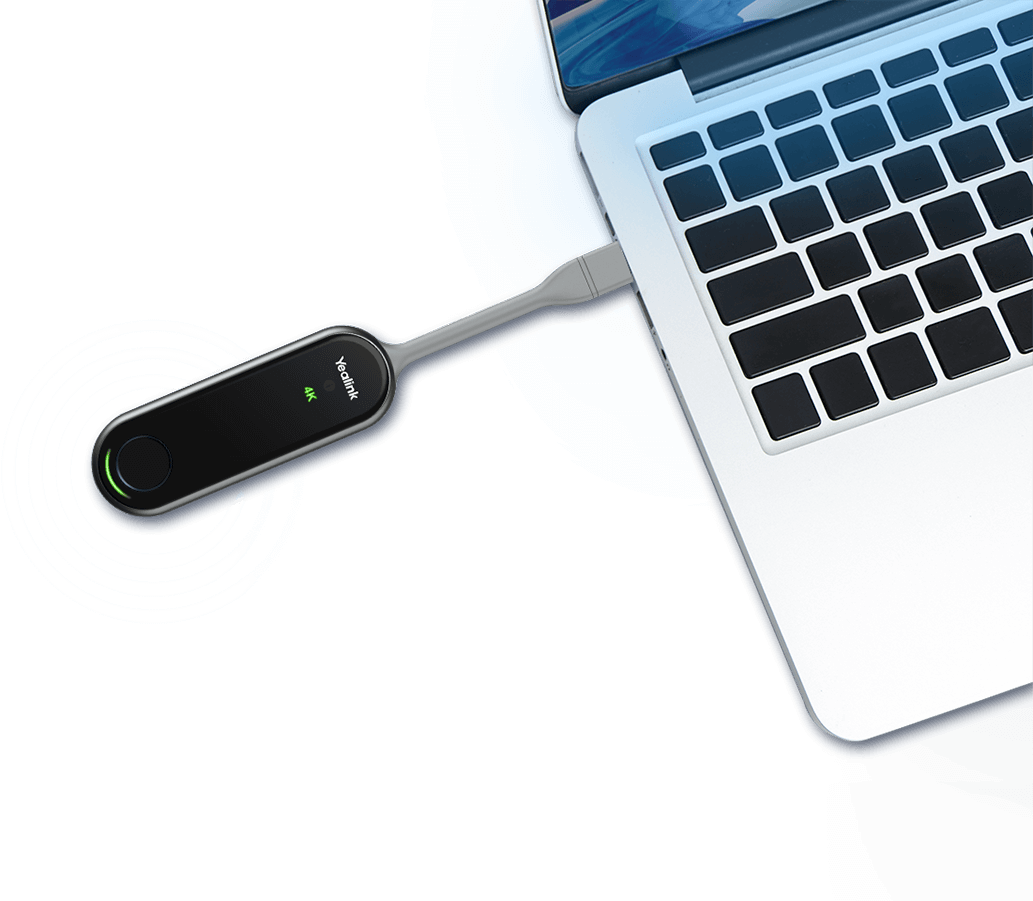
Quick Product Information
A Faster Route from Laptop Screen to Meeting-Room Display
The Yealink WPP30 Africa offering is intended for organisations that want to reduce the small delays and technical interruptions that often occur at the start of a meeting. In a conventional room, presenters may need to locate the correct HDMI cable, identify an adapter, change display inputs, request administrator rights for software installation, or pass one cable around a large table. Those steps can consume valuable meeting time and create an inconsistent experience for employees, visitors, consultants, trainers, and project partners. The WPP30 changes the workflow by placing a simple presentation control in the presenter’s hand. Once it is paired with a supported Yealink collaboration environment, the user connects it to a compatible computer, waits for the device to become ready, and presses the presentation button.
Its purpose is not merely to remove a cable. The pod combines a physical one-press control with hardware encoding, a self-built wireless connection, and support for both duplicated and extended desktop presentation. This gives business users a practical choice: mirror the laptop display for straightforward demonstrations, or extend the desktop so presenter notes and private applications remain on the computer while the selected content appears on the room display. For finance reviews, design discussions, board presentations, training sessions, tender meetings, and hybrid project calls, that distinction can improve confidentiality and presenter control.
The device is especially relevant in rooms where many users bring different laptops. A full-featured USB Type-C interface is built into the pod, while an included USB-C-to-USB-A adapter helps support computers that use the older connection format. Buyers should still confirm that the intended host devices and room platform are supported, because physical connector shape alone does not guarantee every collaboration feature. The host port, operating system, Yealink room-system firmware, display configuration, and planned use of touch control or BYOD functions all influence the final experience.
FourTeck approaches this product as part of a meeting-room workflow rather than as an isolated accessory. Before preparing a quotation, the team can review the existing Yealink hardware, room size, display type, typical presenter devices, required number of pods, and whether users need multi-screen collaboration, annotation, whiteboarding, or reverse control. This helps procurement teams avoid buying by model name alone and gives IT managers a clearer view of how the accessory will fit daily operations across African offices, training facilities, hospitality locations, education environments, and distributed project sites.
Key Business Benefits
A wireless presentation pod should be measured by the quality of the meeting experience it creates, not only by its maximum resolution. The following benefits explain how the WPP30 can support productive, repeatable room use when deployed with a compatible platform.
◆ Quicker Meeting Starts
One-press presentation can reduce the time spent finding cables, switching inputs, and explaining room controls. A consistent process is useful in shared rooms where users have different technical confidence levels and meetings follow one another closely.
◆ Clean Table Design
Wireless transmission reduces the need to stretch a display cable from the screen to every seating position. This can improve the appearance of boardrooms and limit repeated handling of long cables, adapters, and floor boxes.
◆ High-Detail Presentation
Hardware-encoded output up to 4K at 30 fps can help present spreadsheets, diagrams, dashboards, product visuals, and design material with useful clarity, subject to the source content, room system, display, and wireless conditions.
◆ Flexible Presenter Devices
The built-in USB-C connector and supplied USB-A adapter help teams accommodate a wider mix of computers. This is valuable for guest presenters, consultants, employees, and trainers who may arrive with different hardware generations.
◆ Collaborative Screen Sharing
Support for as many as four presented streams allows several participants to place information on the main display at the same time. Teams can compare figures, documents, concepts, or visual options without repeatedly disconnecting one presenter.
◆ Lower Dependence on Office Wi-Fi
The Yealink self-built wireless link can reduce dependence on the normal business network for the presentation connection. This can simplify room planning, although IT teams should still review radio conditions and platform requirements.
These advantages are strongest when the room is designed as a complete system. Display resolution, touch capability, room-system firmware, host computer ports, user permissions, wireless interference, and the number of simultaneous presenters can all affect the outcome. FourTeck can help translate meeting habits into a practical bill of materials rather than treating every room as identical.
Product Highlights That Matter in Daily Use
The WPP30 uses a hardware encoding approach designed to handle presentation output up to 3840 × 2160 at 30 frames per second. Hardware processing is important because the sharing experience does not rely entirely on installing a software application on every presenter’s computer. In managed corporate environments, where users may not have administrator rights, and in guest-facing rooms, where visitors should not be asked to create accounts or install utilities, this can make the room easier to use.
Useful for detailed business content when the source, receiver, room display, and wireless environment support the required resolution.
Built for a responsive wireless sharing link with dual-band 2.4 GHz and 5 GHz operation, subject to room conditions and supported pairing.
A clear start/stop button reduces menu navigation and gives presenters an obvious way to begin or end sharing.
Selected compatible environments can support annotation, virtual whiteboard interaction, reverse control, and multiple shared screens.
Security is also built into the wireless design through WPA-PSK/WPA2-PSK and AES-related protection described by the manufacturer. For business buyers, these technologies are part of the security picture rather than a complete policy. IT teams should still control physical access to the pod, maintain supported firmware on paired room equipment, define who may use the room, and follow internal rules for confidential presentations. A presentation accessory can reduce cable complexity, but it should remain within the organisation’s broader meeting-room and information-security procedures.
The unit is compact at approximately 220 × 38 × 16 mm and weighs about 75 g. It draws power from the connected host at 5 V / 600 mA, with typical consumption stated at 2.2 W. These details make it easy to store on a meeting table or in a room accessory tray, yet buyers should plan secure storage, labelling, and replacement procedures because portable meeting-room accessories can be misplaced when moved between locations.
Technical Specifications
| Specification | Details |
|---|---|
| Brand / Model | Yealink WPP30 |
| Product Type | Wireless presentation and BYOD pod for compatible Yealink collaboration environments |
| Maximum Presentation Output | Up to 4K at 30 frames per second |
| Encoding | Hardware encoding with adaptive software / hardware capability depending on supported use |
| Host Interface | 1 × full-featured USB Type-C; 1 × USB-C to USB-A adapter supplied |
| Wireless Standard | Wi-Fi 6, IEEE 802.11 a/b/g/n/ac/ax |
| Wireless Frequencies | 2.4 GHz and 5 GHz dual band |
| Wireless Security | WPA-PSK / WPA2-PSK; manufacturer also describes AES protection |
| Bluetooth | Bluetooth 5.0 |
| Desktop Modes | Duplicated display and extended display |
| Collaboration Functions | Annotation, virtual whiteboard, intuitive reverse control, and multiple-screen sharing on supported systems |
| Simultaneous Shared Streams | Up to four on compatible room solutions |
| Controls and Indicators | Start/stop button; 4K/UHD, system error, and system status indicators |
| Input Power | 5 V / 600 mA through host connection |
| Typical Power Consumption | 2.2 W |
| Operating Temperature | -10°C to 40°C |
| Operating Humidity | 0% to 95%, non-condensing |
| Dimensions | 220 × 38 × 16 mm |
| Weight | Approximately 75 g |
| Compatibility | Dependent on the Yealink room platform, firmware, host device, port capabilities, display, and selected collaboration function |
| Warranty / Supply | Contact FourTeck for current supply-route and warranty guidance |
The most important line in this table is compatibility. A buyer may see USB-C on a laptop and assume that every feature will work automatically, but USB-C ports differ in capability, and the room receiver or interactive display must also support the intended WPP30 workflow. Standard screen mirroring may have one compatibility profile, while wireless BYOD, touch reverse control, annotation, and four-stream presentation may require particular Yealink hardware or software versions. Before ordering, record the room-system model, firmware version, display model, host operating systems, required connector types, and whether the room uses Microsoft Teams, Zoom, or another meeting workflow.
Quantity planning matters as well. A single pod can be shared in a controlled room, but busy organisations may prefer one per room, a secured spare for high-priority facilities, or a pool managed by IT. Label each unit by room, keep the adapter attached, and document the pairing process so devices are not moved between rooms without reconfiguration. FourTeck can help prepare a quote that reflects the number of rooms and the actual collaboration functions required rather than quoting one accessory without the surrounding context.
Configuration and Buyer Guidance
Start with the room, not the accessory. Identify which Yealink endpoint receives the presentation, how it connects to the room display, and whether the display provides touch interaction. Record the exact model numbers rather than relying on a general description such as “Yealink video bar” or “meeting board.” Different product generations and firmware branches can support different features. A short compatibility review before purchase is more efficient than troubleshooting after installation.
1. Define the Presentation Workflow
Decide whether users only need screen mirroring or also require extended desktop, four-way comparison, touch reverse control, whiteboarding, and wireless BYOD access to room peripherals.
2. List Typical Host Devices
Note Windows and macOS versions, USB-C capabilities, USB-A dependence, device-management restrictions, and whether visitors often bring unmanaged laptops.
3. Review the Room Environment
Consider distance to the display, radio congestion, neighbouring meeting rooms, table layout, secure storage, and whether the pod will stay in one room or travel between spaces.
4. Plan Ownership and Support
Assign responsibility for pairing, firmware coordination, labelling, spare adapters, user instructions, cleaning, loss prevention, and first-line room support.
For a multi-room project, consistency is usually more valuable than simply buying the lowest number of units. Teams should be able to enter comparable rooms and follow the same process. Standardise compatible room endpoints where practical, use common labels, place the pod in the same location, and publish a two- or three-step instruction card. For rooms used by customers or senior management, consider a spare accessory and a tested wired fallback so a presentation can continue even if a pod is misplaced or a guest device has an unsupported port.
When contacting FourTeck, provide the receiving Yealink model, display model, number of rooms, quantity per room, host-device mix, required collaboration functions, delivery destination, desired project timing, and any installation or remote-support requirements. This information allows the quotation to address fit, accessories, supply route, and warranty expectations rather than presenting an incomplete unit price.
Ideal Business Use Cases
The WPP30 fits best where meetings depend on regular laptop content and the organisation wants a repeatable, low-friction presentation method. It is not a standalone projector, display, or complete conferencing system. Its value comes from connection to a supported Yealink room environment and from matching the way people actually collaborate.
Board and Management Rooms
Executives can present reports, forecasts, governance documents, and dashboards without passing a display cable around the table. Extended desktop mode can help keep notes or unrelated windows away from the main screen.
Training and Education Spaces
Trainers, lecturers, and guest speakers can move between presenters more efficiently. Multi-screen sharing may support comparison exercises, project reviews, and collaborative learning when the receiving system supports the function.
Project and Design Reviews
Engineering, construction, creative, and product teams can display plans, images, models, timelines, and issue lists. High-resolution output is useful for detail, although source quality and display resolution remain important.
Customer Demonstration Rooms
Sales and consulting teams can share proposals, prototypes, and presentations with less cable preparation. A tested guest-laptop procedure helps visitors contribute without changing the organisation’s permanent room setup.
Hybrid Meeting Rooms
In compatible BYOD workflows, users may be able to bring their preferred meeting application while using room audio and video resources. Exact support should be confirmed for the selected Yealink platform and software version.
Hospitality and Shared Facilities
Hotel meeting rooms, serviced offices, and conference facilities can benefit from an easy presentation method for different clients, provided staff maintain pairing, cleaning, storage, and clear user instructions.
Other suitable environments include government discussion rooms, healthcare administration facilities, financial-service collaboration spaces, reseller demonstration labs, and branch-office meeting rooms. The common requirement is frequent screen sharing from more than one computer. Where a room only has occasional presentations, a wired connection may remain sufficient. Where users regularly lose time to adapters and room controls, a standardised wireless pod can provide stronger operational value.
Yealink WPP30 One-Press 4K Presentation
The most visible feature is the large start/stop control, but the practical value lies in the workflow behind it. A presenter should not need to learn the room’s input matrix, request a cable from reception, or download an unfamiliar application before showing a document. After the device has been paired with a supported receiver and connected to a compatible computer, the physical button provides a clear action that most users can understand without training. This matters in boardrooms, training suites, and shared client rooms where visitors may only use the system once.
Output up to 4K at 30 fps supports detailed static and moderately dynamic content. Financial spreadsheets, technical drawings, interface demonstrations, slide decks, product photography, and high-resolution web pages can be easier to read on an appropriate display. Buyers should understand that “4K capable” describes the upper supported presentation output, not a guarantee that every session will operate at that resolution. The laptop’s content, connector capability, room receiver, display, firmware, wireless conditions, and system settings must all align.
For rooms used for full-motion video, motion graphics, or colour-critical review, conduct a practical test with typical content before a large rollout. Presentation sharing and professional video distribution have different performance expectations. FourTeck can help buyers define whether the room primarily shows documents and applications or whether it needs a more specialised AV design. That distinction protects the project from assuming that one accessory replaces every wired and wireless media requirement.
Yealink WPP30 Multi-Screen Collaboration and Touch Interaction
Meetings often involve comparison rather than a single uninterrupted presentation. A finance team may need to place actual and forecast figures side by side. A design committee may compare several concepts. A project group may review a schedule against a risk register, while a procurement team may compare vendor submissions. Support for up to four simultaneously presented streams on compatible systems can shorten the process of switching between contributors and make the main display a shared workspace.
Annotation and virtual whiteboard functions add another layer of interaction. Participants may be able to mark areas, capture ideas, or illustrate changes while discussing the shared material. With supported touchscreen environments, reverse control can allow interaction with a connected computer from the room display. This can be particularly useful when the presenter stands near an interactive board rather than at the laptop. However, touch control should be reviewed against the exact Yealink receiver, display, host operating system, and application. A touchscreen alone does not guarantee reverse-control compatibility.
Organisations should also define meeting etiquette for multi-screen use. Four concurrent sources can improve comparison, but too many small windows may reduce readability on a modest display. Room size, viewing distance, display resolution, and the typical type of content should guide how many streams are practical. In a small huddle room, two sources may be enough. In a large boardroom with a sizeable 4K display, four sources may work well for dashboards or document comparison. The objective is not to use every function in every meeting, but to give teams suitable options without creating unnecessary complexity.
Yealink WPP30 Wireless Performance and Meeting Security
The WPP30 includes a Wi-Fi 6 radio with 2×2 MIMO support and operation on both 2.4 GHz and 5 GHz bands. In practical terms, dual-band capability gives the system options when one part of the radio environment is congested. The self-built Yealink wireless network also means the presentation link does not have to depend on the organisation’s normal routed Wi-Fi in the same way as an app-based casting method. This can simplify deployment and reduce the need to place visitors on a business wireless network solely to present content.
Radio design still deserves attention. Dense office floors, hotels, education campuses, and conference centres can contain many access points, Bluetooth devices, and neighbouring room systems. IT or AV teams should observe performance during busy periods, avoid placing receivers behind heavy metal structures, and coordinate room installations where several wireless presentation systems operate close together. A successful test in an empty room does not always represent a fully occupied event or working day.
The manufacturer specifies WPA-PSK/WPA2-PSK and describes AES data protection. These controls help secure the wireless presentation path, but meeting security remains a shared responsibility. Keep the pod physically controlled, pair it only with intended room equipment, maintain supported firmware, and define procedures for confidential content. Users should stop sharing before disconnecting, close sensitive windows, and use extended desktop mode when private notes or messages must stay off the main display.
For regulated or security-sensitive organisations, include the WPP30 in the normal technology assessment process. Review firmware governance, room access, guest use, asset tracking, and incident response. FourTeck can provide product and compatibility guidance, while the buyer’s own security team should determine whether the device fits internal policy and the intended information classification.
What Buyers Should Check Before Purchase
A useful quotation begins with more than the model name. Buyers should confirm the receiver, room design, host-device mix, feature expectations, quantity, destination, and support scope. This checklist helps reduce the risk of selecting an accessory that does not match the existing meeting environment.
Configuration Fit
Share the exact Yealink room-system or MeetingBoard model, firmware version, display type, and whether the pod is required for standard presentation, BYOD meetings, or interactive control.
Host Compatibility
List common Windows and macOS devices, USB-C capability, USB-A needs, security restrictions, and any tablets or phones expected to participate. Do not assume every USB-C port offers identical behaviour.
Required Features
State whether duplicated or extended desktop is enough, or whether the project needs four-stream sharing, annotation, whiteboard, reverse touch control, and wireless access to room audio and video.
Room and Radio Conditions
Provide room size, display position, table arrangement, neighbouring wireless rooms, and any known radio congestion. These factors influence user experience even when the product is technically compatible.
Accessories and Spares
Confirm whether the USB-A adapter is included in the quoted package, whether a spare pod is needed, and how units will be labelled, stored, charged from the host, and paired to rooms.
Availability and Warranty
Ask for current supply status, lead-time guidance, product condition, package contents, applicable warranty terms, and the process for handling a failed unit under the selected supply route.
Project Quantity
For bulk orders, state the number of rooms, rollout stages, desired standardisation, spare ratio, delivery destinations, and whether installation partners need documentation or remote coordination.
Alternative Planning
Because supply and platform roadmaps can change, ask whether a newer compatible accessory or another Yealink sharing method is recommended for the intended room system and future lifecycle.
The most helpful quote request includes model numbers, photographs of existing room connections where appropriate, the desired quantity, delivery country, project date, and a plain-language description of what users need to do. For example: “Visitors must connect Windows or Mac laptops and share slides without joining corporate Wi-Fi,” or “Staff must use their own meeting application while accessing the room camera and microphones.” FourTeck can use that information to review suitability, recommend supporting items, and identify questions that should be resolved before commercial approval.
Africa Availability and Service Support
FourTeck supports WPP30 enquiries from business buyers across Africa with practical assistance before an order is confirmed. The process can include reviewing the receiving Yealink platform, checking the intended presentation features, identifying computer-port requirements, discussing the number of rooms, and preparing a quotation around the actual project. This is important because a presentation pod that appears simple on a product list can depend on the compatibility and firmware of the wider room environment.
Availability may vary according to supplier status, destination, quantity, product lifecycle, and the selected supply route. FourTeck does not recommend planning a rollout around an assumed stock position. Buyers should request current confirmation and allow enough time for compatibility review, commercial approval, delivery coordination, and site preparation. For multi-room or multi-country orders, sharing a room schedule and priority list can help structure the quotation and deployment plan.
Warranty guidance is based on the offered product, source, and commercial terms. Ask the sales team to state the applicable coverage, required proof of purchase, return process, and any limitations before ordering. Installation and end-user support requirements should also be defined early. Some organisations only need hardware supply; others need pairing guidance, room testing, user instructions, or coordination with an existing AV integrator.
Prepare a useful request: include the Yealink receiver model, firmware, display, number of rooms, presentation features, host-device types, quantity, destination, and preferred project timeline.
Africa Country and Regional Coverage
FourTeck handles Africa-focused meeting-room accessory enquiries by helping buyers connect technical requirements with purchasing details. The first stage is usually a compatibility conversation: what Yealink room system is installed, what users want to present, which computers they use, and whether touch interaction or wireless BYOD is required. The next stage covers quantity, project schedule, destination, package contents, and warranty expectations. This structured approach reduces the risk of treating every conference room as the same.
Supply conditions can differ between a single replacement pod and a planned rollout across several offices. Availability, lead time, recommended configuration, accessories, support options, and delivery arrangements may change with the product model, supplier status, order size, destination, and project scope. Buyers should therefore request written confirmation for the specific order rather than relying on a general web listing or a previous quotation.
The detailed market sections below address Tanzania, Libya, and Seychelles from different operational perspectives. They are not claims of local stock or branch presence. They explain the information that organisations in each market may find useful when planning meeting-room content sharing. For wider regional assistance, visit the FourTeck Africa technology platform or send the room and project details through the Africa contact page.
Yealink WPP30 in Tanzania
For Tanzanian enterprises, public-sector teams, schools, healthcare administrators, financial institutions, integrators, and growing offices, meeting-room technology is most useful when it is easy for many people to operate and realistic to support over time. Yealink WPP30 in Tanzania can suit compatible collaboration rooms where employees and visitors regularly bring laptops to present reports, training material, project plans, dashboards, or customer proposals. Before requesting a quotation, the buyer should identify the exact Yealink receiver or MeetingBoard, the room display, the computer ports used by staff, and whether the requirement is basic screen sharing or a richer workflow involving extended desktop, four-way comparison, whiteboarding, annotation, or reverse control. Infrastructure planning should include more than network connectivity. The organisation should consider how the pod will be secured in the room, how the USB-A adapter will be kept with it, who will manage pairing and firmware coordination, and what fallback method will be available if a guest computer has an unsupported connection. In growing organisations with rooms added in phases, a standard layout and simple instruction card can improve adoption and reduce calls to IT. FourTeck can review the required quantity, destination, project stages, compatible accessories, supply status, and warranty guidance before preparing a commercial offer. Delivery coordination should be based on the confirmed order and destination rather than an assumed timetable. A strong quote request should include model numbers, quantity, delivery location, intended rollout date, room photographs when useful, and a clear description of how users expect to present. That information helps align the accessory with practical Tanzanian business operations rather than selecting only by resolution or model name.
Yealink WPP30 in Libya
Organisations planning Yealink WPP30 in Libya should approach the purchase as a room-system compatibility and continuity decision. The pod may support board meetings, technical briefings, training, tender reviews, and branch collaboration by allowing a presenter to connect through USB-C or the supplied USB-A adapter and share content without installing an extra driver. The commercial request should begin with the current Yealink room endpoint, display, firmware, operating systems, and the collaboration functions expected by users. A project team may only need dependable mirrored presentation, while a management or engineering room may value extended desktop, multiple shared streams, touch interaction, and annotation. These differences influence testing and support. Operational reliability also depends on how the accessory is handled after delivery. Buyers should define secure storage, asset labelling, adapter control, pairing responsibility, and a documented wired fallback. Where several rooms are involved, it is sensible to test one representative room using common laptops and typical content before approving the full quantity. The quotation should state package contents, condition, applicable warranty terms, quantity, delivery destination, and any configuration or remote-guidance requirement. FourTeck can help review compatible options and coordinate the purchasing discussion, but delivery arrangements and timelines should only be treated as confirmed when included in the accepted commercial documentation. Project buyers should also ask whether a newer Yealink sharing accessory or alternative workflow is more suitable for the installed platform, because product lifecycles and supported combinations can change. A complete request with room models, intended use, user-device mix, destination, and project date gives the sales and technical teams enough information to recommend an appropriate path without making unsupported assumptions about local inventory or deployment conditions.
Yealink WPP30 in Seychelles
Hospitality groups, professional-service firms, government departments, education providers, healthcare teams, financial organisations, retailers, and tourism-related businesses often operate compact meeting spaces or several smaller sites in Seychelles. In that environment, a presentation accessory should be simple to move through procurement, easy for staff and guests to understand, and practical to maintain with limited on-site technical time. Yealink WPP30 in Seychelles may fit compatible meeting rooms where users regularly share laptop content and want to reduce dependence on loose video cables and multiple adapters. For a hotel conference room or serviced office, guest-device compatibility and clear instructions may be the first priority. For a financial or government meeting space, extended desktop use, physical control of the pod, and secure presentation procedures may be more important. Distributed organisations should decide whether each site receives its own labelled unit or whether accessories are centrally managed, because moving a paired device between rooms can create confusion. The compact design and low typical power draw are useful, but the buying decision should still include the receiving Yealink model, display capability, USB-C and USB-A requirements, wireless conditions, touch features, and expected number of concurrent presenters. FourTeck can support configuration review, quotation preparation, delivery coordination, and warranty guidance based on the offered supply route. Buyers should provide the number of rooms, island or delivery destination, project timing, room-system models, and required functions, then ask for package-content confirmation and any recommended alternative. Long-term value comes from a consistent workflow, documented support ownership, a protected adapter, and a tested fallback—not simply from placing a wireless pod on the meeting table.
Related Yealink and FourTeck Options
A presentation pod is usually one part of a broader communication environment. Buyers reviewing the WPP30 may also need room hardware, voice endpoints, cordless systems, or a brand-level view of available Yealink solutions. The following internal links provide practical routes to related products and support pages. They are not direct substitutes in every case; suitability depends on the room, communication platform, and business workflow.
Yealink Product Range
Review Yealink voice, video, DECT, headset, and collaboration families for wider project planning.
Yealink MP58-WH E2
A Microsoft Teams desk phone option for executive and call-intensive users needing a dedicated endpoint.
Yealink W76P
A cordless DECT phone system for offices, hospitality, healthcare, retail, and operational teams.
Yealink W75
A mini multi-cell DECT option for organisations that need broader cordless voice mobility.
Project Assistance
Send room models, quantity, destination, and required features for a structured product discussion.
For meeting-room projects, the most relevant alternative may be a newer wireless presentation accessory, a Yealink room system with built-in sharing methods, or a different room architecture rather than one of the voice products listed above. FourTeck can help identify the appropriate category after reviewing the installed hardware and desired workflow.
Why Business Buyers Contact FourTeck
Meeting-room accessories sit between user experience, AV design, network conditions, computer compatibility, and procurement. FourTeck helps buyers bring those elements into one conversation. Instead of preparing a quote from the product name alone, the team can ask which receiver is installed, how many rooms are involved, what users need to share, and whether the project requires standard presentation, interactive features, or a BYOD workflow.
Guidance on whether the WPP30 or another sharing method better fits the installed Yealink platform.
Discussion of room hardware, firmware, displays, operating systems, USB ports, and collaboration features.
Commercial support based on quantity, destination, project stage, package contents, and required assistance.
Order-specific planning without unsupported promises about inventory or delivery dates.
Clarification of applicable terms, documentation, and process for the selected supply route.
Help identifying compatible room systems, accessories, and alternatives where the requirement extends beyond one pod.
This approach supports both small and larger buyers. A single-room customer may need a quick compatibility check and one quotation. A system integrator may need confirmation for several room types. An enterprise procurement team may require phased quantities, standard package definitions, destination-specific coordination, and documentation for internal approval. FourTeck can adapt the conversation to that scope while keeping technical claims tied to the selected configuration.
The objective is to help the customer avoid wrong model selection, missing adapters, unclear feature expectations, and unsupported assumptions about room compatibility. Buyers remain responsible for final technical approval and security policy, while FourTeck provides a practical route from enquiry to a more complete purchasing decision.
Frequently Asked Questions
What is the Yealink WPP30 used for?
It is a wireless presentation and BYOD pod for compatible Yealink meeting-room environments. A user connects it to a supported computer through USB-C or the supplied USB-A adapter and presses the control to share content. Depending on the receiving system, it can support duplicated or extended desktop presentation, multiple shared screens, annotation, whiteboard functions, reverse control, and wireless collaboration workflows.
Does the WPP30 require a driver?
The product is designed for plug-and-play operation without requiring an extra driver or separate presentation application for its normal supported workflow. Compatibility still depends on the host device, operating system, USB port capability, Yealink receiver, firmware, and selected feature. Managed corporate computers should be tested with the actual room environment before a large deployment.
Can it share content in 4K?
The manufacturer specifies presentation output up to 4K at 30 frames per second. Actual resolution and smoothness depend on the source computer, content, host connection, receiver, room display, firmware, and wireless conditions. Buyers planning detailed design review or video-heavy use should test representative content in the intended room before approving a broad rollout.
Which devices and room systems are compatible?
Compatibility is configuration dependent. The host needs an appropriate USB-C connection or use of the supplied USB-A adapter, while the receiving Yealink room equipment must support the intended function. Screen sharing, wireless BYOD, multi-screen presentation, annotation, and reverse control may have different requirements. Provide FourTeck with exact model and firmware information for review.
Can several people present at the same time?
On supported Yealink environments, the WPP30 can participate in a workflow that presents up to four shared streams on the main display. The practical number of sources should also consider display size, viewing distance, and content readability. Four small documents may be hard to read in a compact room even when the platform technically supports four streams.
Is the WPP30 available for African business orders?
FourTeck accepts Africa-focused enquiries and can discuss current product availability, compatible alternatives, quantity, delivery destination, and project requirements. Supply may vary with supplier status, lifecycle, order size, and route. Buyers should request written confirmation for the specific quotation instead of assuming inventory from a general online listing.
Can FourTeck help with configuration and pairing?
FourTeck can help review the product fit, required room information, package contents, and expected setup scope. The exact service included should be stated in the quotation. For complex rooms, the buyer may also need coordination with an AV integrator, internal IT team, or Yealink support resource for firmware and platform-specific deployment.
What information is needed for a quote?
Send the exact Yealink receiver or MeetingBoard model, firmware if known, display model, number of rooms, quantity, host-device types, required presentation features, delivery country and location, desired project date, and support expectations. Photographs of existing room connections can also help when model information is incomplete.
Can businesses request bulk or project supply?
Yes. Companies, integrators, education groups, hospitality organisations, and public-sector project teams can request quotations for several rooms or locations. A bulk request should include rollout phases, standard room types, spare-unit planning, destinations, and required documentation. Availability and commercial terms should be confirmed for the final quantity and project schedule.
What warranty guidance is available?
Warranty terms can depend on the product source and offered supply route. Before ordering, ask FourTeck to confirm the applicable coverage, documentation, return procedure, and any exclusions in the quotation. Keep purchase records and device identification available, and avoid assuming that warranty terms shown in another country automatically apply to the offered Africa supply.
Need Help Planning Wireless Presentation for Your Rooms?
Send FourTeck your Yealink room-system model, number of rooms, required presentation features, computer-port mix, delivery destination, and project timing. The team can help review compatibility, current options, quotation details, related accessories, delivery coordination, and warranty guidance.


Reviews
There are no reviews yet.